Social Proof Notifications That Actually Convert in 2026

In this article
- What Are Social Proof Notifications
- Types of Social Proof Notifications That Drive Sales
- Why Social Proof Notifications Boost Conversions
- How to Add Social Proof Notifications to Your Website
- Best Practices for High-Converting Social Proof Pop-Ups
- Best Social Proof Tools and Apps Compared
- Mistakes That Hurt Social Proof Notification Performance
- Start Turning Visitors into Buyers with Social Proof
- FAQs About Social Proof Notifications
You’ve got traffic. People are landing on your site, browsing your products, maybe even adding items to their cart. But something’s missing—they’re not converting, and you can’t figure out why.
Social proof notifications solve a problem most websites don’t realize they have: invisible credibility. When visitors can’t see that other people are buying, signing up, or engaging, your site feels like an empty store—a concern for 49% of consumers who view lack of trust signals as potential fraud. This guide covers exactly how these real-time notifications work, which types drive the most conversions, and how to implement them without annoying your visitors.
What Are Social Proof Notifications
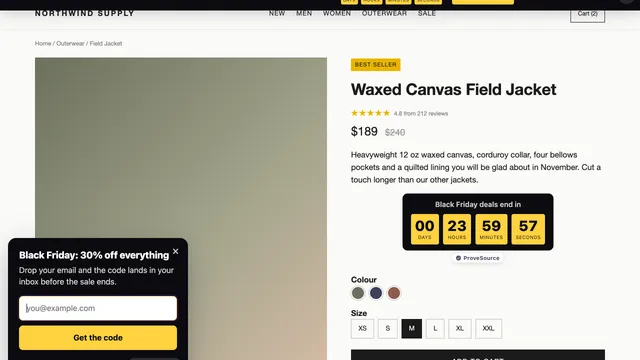
Social proof notifications are small, real-time pop-ups that appear on websites showing recent customer activity—like purchases, signups, or reviews—to build trust and create urgency through FOMO (fear of missing out). You’ve probably seen them before: a little message slides into the corner of a page saying “Sarah from Austin just purchased…” or “47 people are viewing this right now.”
The idea is simple. When you walk past two restaurants—one packed, one empty—you’re naturally drawn to the busy one. Social proof notifications recreate that same “busy store” feeling online. They make invisible customer activity visible, right when someone is deciding whether to trust you with their purchase or signup.
Brands like CallTuv benefit when social proof is placed on high-intent pages rather than spread evenly across the whole site.
Here’s how they actually work: a small tracking script monitors actions on your site (or pulls data from connected tools), then displays that activity as notifications. Visitors see real evidence that other people are buying, signing up, or engaging—and that validation often tips them toward taking action themselves, directly impacting your conversion rates.
A few key terms worth knowing:
- Social proof notification: A small on-screen message showing recent visitor actions like purchases or signups
- FOMO (fear of missing out): The psychological trigger that motivates action when people see others engaging
- Conversion: When a visitor completes a desired action, whether buying, subscribing, or signing up
Types of Social Proof Notifications That Drive Sales
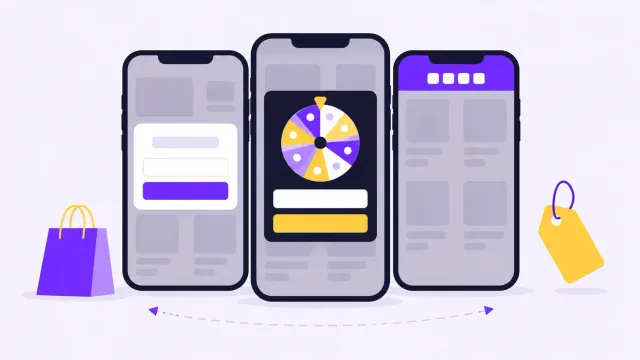
Not every notification works the same way, and the right choice depends on your traffic, your business model, and what you’re trying to get visitors to do. Let’s walk through the main formats.
Recent Activity Notifications
These show individual actions as they happen—”John from Texas just purchased the Pro Plan” or “Emma signed up 2 minutes ago.” The specificity makes them feel real and personal, leveraging real-time social proof to drive immediate action. For eCommerce stores and SaaS products, recent activity notifications work especially well because they show actual purchases happening in real time.
Aggregate Action Notifications
Instead of showing one action at a time, aggregate notifications display volume over a period: “847 people signed up this week” or “1,200 orders in the last 30 days.” If you have higher traffic, this format emphasizes popularity without bombarding visitors with constant individual pop-ups.
Live Visitor Count Notifications
Ever seen a message like “23 people are viewing this right now”? That’s a live visitor count. It creates urgency and makes your site feel active—particularly useful on product pages where you want to nudge someone toward a decision.
Review and Rating Pop-Ups
These pull positive reviews from platforms like Google, Trustpilot, or Facebook and display them directly on your site. Instead of hoping visitors will go check your reviews elsewhere, you bring that third-party validation right into the browsing experience.
Informational Messages
Not every notification involves customer activity. Informational messages highlight details like free shipping thresholds, money-back guarantees, or limited-time offers. They guide visitors and reduce hesitation without relying on social proof data.
Social Media Counter Widgets
These display your follower counts, subscriber numbers, or likes from social platforms directly on your site. If you’ve built an audience on Instagram or YouTube, showing those numbers extends your credibility beyond the website itself.
Why Social Proof Notifications Boost Conversions
When someone lands on your site for the first time, they’re silently asking: “Can I trust this?” Social proof notifications answer that question by showing evidence that others have already taken the leap.
The psychology here is straightforward. People look to others’ behavior when they’re uncertain—researchers call this informational social influence. Seeing real customers actively buying or signing up reduces the perceived risk of doing the same thing.
Beyond trust, there’s the “busy store” effect. A site displaying live activity feels more legitimate than one that appears static. Visitors stick around longer, explore more, and convert at higher rates.
- Trust signal: Visitors see others have already bought or signed up, which validates their interest
- Reduced hesitation: Real activity removes doubt about whether a business is legitimate
- Urgency creation: Live data encourages faster decisions because visitors don’t want to miss out
Pro Tip: Authentic, real-time data consistently outperforms static testimonials. Visitors can tell the difference between a quote that’s been sitting on your homepage for months and a notification showing someone purchased 3 minutes ago.
How to Add Social Proof Notifications to Your Website
Getting started is simpler than you might expect. Most social proof tools are built for non-technical users and connect with popular platforms in minutes.
Step 1. Choose the Right Social Proof Software
Look for a tool that integrates with your existing platform—Shopify, WooCommerce, WordPress, Wix, or whatever you’re using. Consider what notification types you’ll actually use, how much customization you want, and whether there’s a free plan to test before committing. ProveSource, for example, offers all the notification types mentioned above with 100+ integrations and a free tier.
Step 2. Install the App or Tracking Code
On platforms like Shopify or Wix, installation is often a one-click process through the app marketplace. For other sites, you’ll typically add a small JavaScript snippet to your site’s header. No developer required for most setups.
Step 3. Select Your Notification Types
Match the format to your goal. Running an eCommerce store? Recent purchase notifications build trust. SaaS product? Signup notifications show momentum. Service business? Review pop-ups reinforce credibility.
Step 4. Customize Design and Display Rules
Adjust colors, fonts, positioning, and timing so notifications feel native to your brand. Set rules for which pages show notifications and how often they appear—you want to enhance the experience, not interrupt it.
Step 5. Launch and Test Performance
Go live and monitor how visitors respond. Most social proof tools include built-in analytics showing impressions, clicks, and conversion impact. Use that data to iterate on timing, placement, and messaging.
Best Practices for High-Converting Social Proof Pop-Ups
Adding social proof notifications is just the first step. How you implement them determines whether they help or hurt your conversions.
Keep Notifications Non-Intrusive and Mobile-Friendly
Position notifications in corners where they’re visible but don’t block important content or CTAs. Use subtle animations rather than jarring pop-ins. On mobile, this matters even more—a notification covering the “Add to Cart” button frustrates visitors rather than converting them.
Use Real Data and Avoid Fake Social Proof
Authenticity matters more than volume. Fake notifications—showing fabricated names or purchases that never happened—damage trust the moment a visitor suspects something’s off. Stick to real-time data from actual customers.
Match Timing and Targeting to Visitor Behavior
Don’t show notifications the instant someone lands on your site. A short delay of 5-10 seconds lets visitors orient themselves first. Then, target high-intent pages like product pages, pricing pages, and checkout—not every page on your site.
Align Notification Design with Your Brand
Generic-looking notifications feel like third-party ads. Customize fonts, colors, and imagery so they blend with your site’s design. The goal is for notifications to feel like a natural part of the experience.
A/B Test Placements and Messaging
What works for one audience might not work for another. Test different notification types, positions, and copy variations. Even small changes—like switching from “just purchased” to “just ordered”—can impact performance.
Actionable Tips:
- Start with one notification type and add more only after you’ve optimized it
- Review your analytics weekly for the first month to catch issues early
- Ask a few customers whether notifications feel helpful or annoying
Best Social Proof Tools and Apps Compared
The social proof software market has several solid options depending on your platform and budget. Here’s how the leading tools compare.
| Tool | Best For | Key Features | Free Plan |
|---|---|---|---|
| ProveSource | All-in-one versatility | Stream, Combo, Live Visitors, Reviews, Social Counter, 100+ integrations | Yes |
| Fomo | eCommerce focus | Real-time pop-ups, extensive customization | No |
| TrustPulse | Beginners | Simple setup, clean interface | Limited |
| Nudgify | Urgency messaging | Scarcity + social proof combined | Yes |
| UseProof | Landing pages | Hot Streaks, live visitor counts | No |
ProveSource
A comprehensive platform offering multiple notification types—recent activity (Stream), aggregate data (Combo), live visitor counts, review pop-ups, and social media counters. With integrations across 100+ platforms and a full-featured free plan, it’s built for teams wanting flexibility without heavy technical lift.
Fomo
One of the original social proof tools, Fomo focuses on real-time purchase notifications for eCommerce. Known for extensive customization options and strong Shopify integration.
TrustPulse
A beginner-friendly option with straightforward setup, particularly popular among WordPress users. The interface is clean, though feature depth is more limited than some alternatives.
Nudgify
Combines social proof with urgency and scarcity messaging—low stock warnings, recent sales, and visitor counts in one tool. Good for stores wanting to layer multiple psychological triggers.
UseProof
Offers “Hot Streaks” showing aggregate activity and live visitor counts. Particularly effective for landing pages and lead generation funnels.
Mistakes That Hurt Social Proof Notification Performance
Even well-intentioned implementations can backfire. Here are the most common pitfalls.
Showing Notifications on Every Page
More isn’t always better. When notifications appear on every single page, they lose impact and start feeling like noise. Focus on pages where visitors are making decisions—product pages, pricing pages, checkout.
Displaying Outdated or Generic Data
A notification saying “Someone purchased 3 days ago” feels stale and raises questions about whether your business is actually active. Keep data fresh and specific. If you don’t have recent activity, aggregate notifications over longer time periods work better than showing old individual actions.
Ignoring Mobile Optimization
75% of eCommerce traffic comes from mobile devices. Notifications that load slowly, cover content, or display awkwardly on smaller screens hurt your mobile conversion rate—even if they work perfectly on desktop.
Overloading Visitors with Too Many Pop-Ups
Running multiple notification types simultaneously can overwhelm visitors. If someone sees a recent purchase notification, then a live visitor count, then a review pop-up, then an informational message—all within 30 seconds—they’ll feel bombarded. Companies using FOMO tactics excessively see 38% decrease in effectiveness.
Start Turning Visitors into Buyers with Social Proof
Social proof notifications address the fundamental question every new visitor has: “Is this worth my trust?” By showing real customer activity at the right moment, you transform a static website into a dynamic experience that encourages action.
The implementation is low-effort compared to most conversion optimization tactics. You don’t have to redesign your site, rewrite your copy, or overhaul your checkout flow. A well-configured social proof tool can start influencing conversions within hours of setup.
Start with one notification type, measure the impact, and expand from there.
FAQs About Social Proof Notifications
What is the difference between social proof notifications and FOMO marketing?
Social proof notifications are one specific tactic within FOMO marketing. While FOMO marketing includes various urgency tactics like countdown timers, low-stock warnings, and limited-time offers, social proof notifications specifically focus on displaying real customer activity to build trust and create urgency.
Can social proof notifications negatively affect website user experience?
Yes, if implemented poorly. Notifications that block content, appear too frequently, or feel fake can annoy visitors and hurt conversions. Well-designed notifications that are non-intrusive, mobile-optimized, and show authentic data typically enhance rather than disrupt the browsing experience.
How do you measure the ROI of social proof notifications on your website?
Track conversion rate changes on pages where notifications display compared to pages without them. Most social proof tools include built-in analytics showing impressions and engagement. For more rigorous measurement, run A/B tests with a control group that doesn’t see notifications.
Do social proof notifications work for websites with low traffic?
Yes—though the approach differs. Features like aggregate notifications over longer time periods (“200 signups this month” instead of “this week”) help lower-traffic sites display meaningful social proof. Review pop-ups and informational messages also work well regardless of traffic volume.