AI Widget Builder

AI Widget Builder: Describe Any Widget, Embed It in One Line

Quizzes, calculators, multi-step forms, size finders. Say what you want and AI writes it in your brand's colors. Change it by asking. Free to start.

3 free generations. No credit card.
  • Free forever plan
  • Works on any website
  • By ProveSource, trusted by 40,000+ businesses
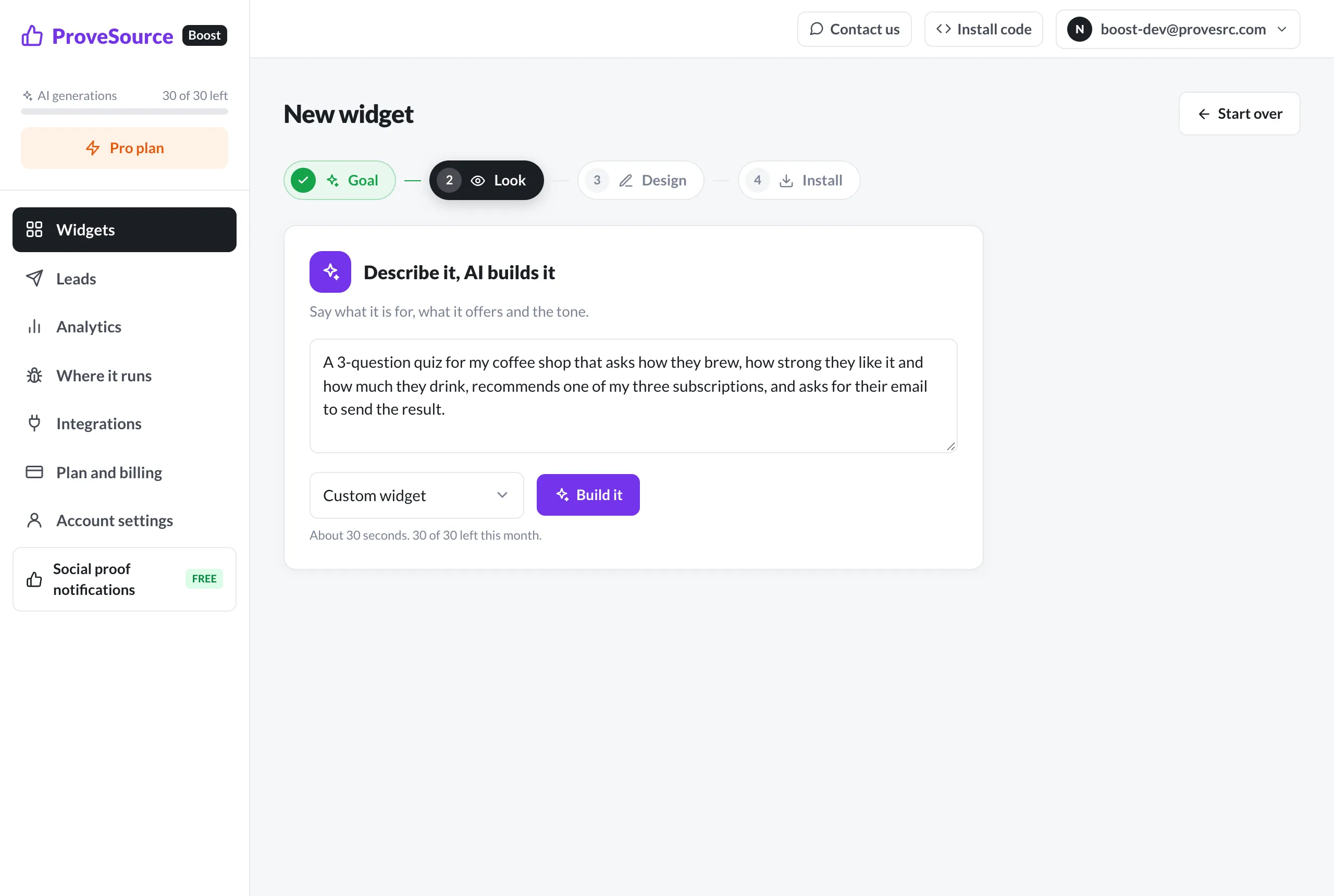
The AI widget builder in the Boost dashboard

What You Can Build With AI

Six common ones, each with a description you can use as written. Start from one, then make it yours.

Product Recommendation Quiz

Three or four questions, one recommendation, and the email to send it to. The classic lead magnet for stores with more than a handful of products.

A 3-question quiz for my coffee shop that asks how they brew, how strong they like it and how much they drink, recommends one of my three subscriptions, and asks for their email to send the result.

Pricing or Savings Calculator

Numbers in, an estimate out, then a button to book a call. Works for services where the first question is always "how much?".

A savings calculator for my solar installation company: monthly electricity bill and roof size in, estimated yearly savings out, then a button to book a free quote.

Multi-Step Lead Form

Ask the easy question first and the email last. Two short steps finish more often than one long form.

A two-step form for my marketing agency: first what they need (website, ads or SEO) and their budget range, then their name and email. Short and friendly.

Size or Fit Finder

Cuts the "which size do I order?" emails and the returns that follow them.

A size finder for my shoe store: their usual size in another brand and whether their feet are narrow, regular or wide, then the size to order from us.

Content Upgrade

A small card on your blog posts that offers the guide or checklist that matches the article.

A corner card on my blog posts offering my free 10-page meal prep guide in exchange for an email, calm green colors.

Event Signup With a Countdown

A bar across the top with the date, a live countdown and a button that opens the signup.

A bar at the top announcing our live webinar on Thursday at 6pm with a countdown and a Save my seat button that opens a short signup form.

From Description to Live Widget in 3 Steps

  1. Describe ItSay what it's for, what it asks or offers, and the tone. The AI reads your site's colors and fonts and writes the widget in about 30 seconds.
  2. Change It by Asking"Make the button bigger", "add a fourth question". Or open the code and edit it yourself. The last 10 versions are kept.
  3. Paste One LineThe same tag as every Boost widget. It shows as a popup, a corner card, a bar or inside your page.

How to Write a Prompt That Gets It Right the First Time

The AI does well with the same brief you would give a freelancer. Four things make the difference between a usable first draft and three rounds of changes.

  1. The job. "Recommends one of my three subscriptions" is a job. "A quiz" is a format. Say what the visitor should end up with.
  2. The steps, in order. List the questions or inputs and what happens at the end. If the email comes last, say so.
  3. The real names. Your products, plans and prices, spelled the way you want them shown. The AI will not guess them correctly.
  4. Where it sits. A popup, a corner card, a bar across the top, or inside a page. Say which if it matters.

Leave out the design details at first. Your colors and fonts are picked up from your site, and it is quicker to ask for "a darker background" after you see the draft than to describe a look in advance.

When a Template Is the Better Choice

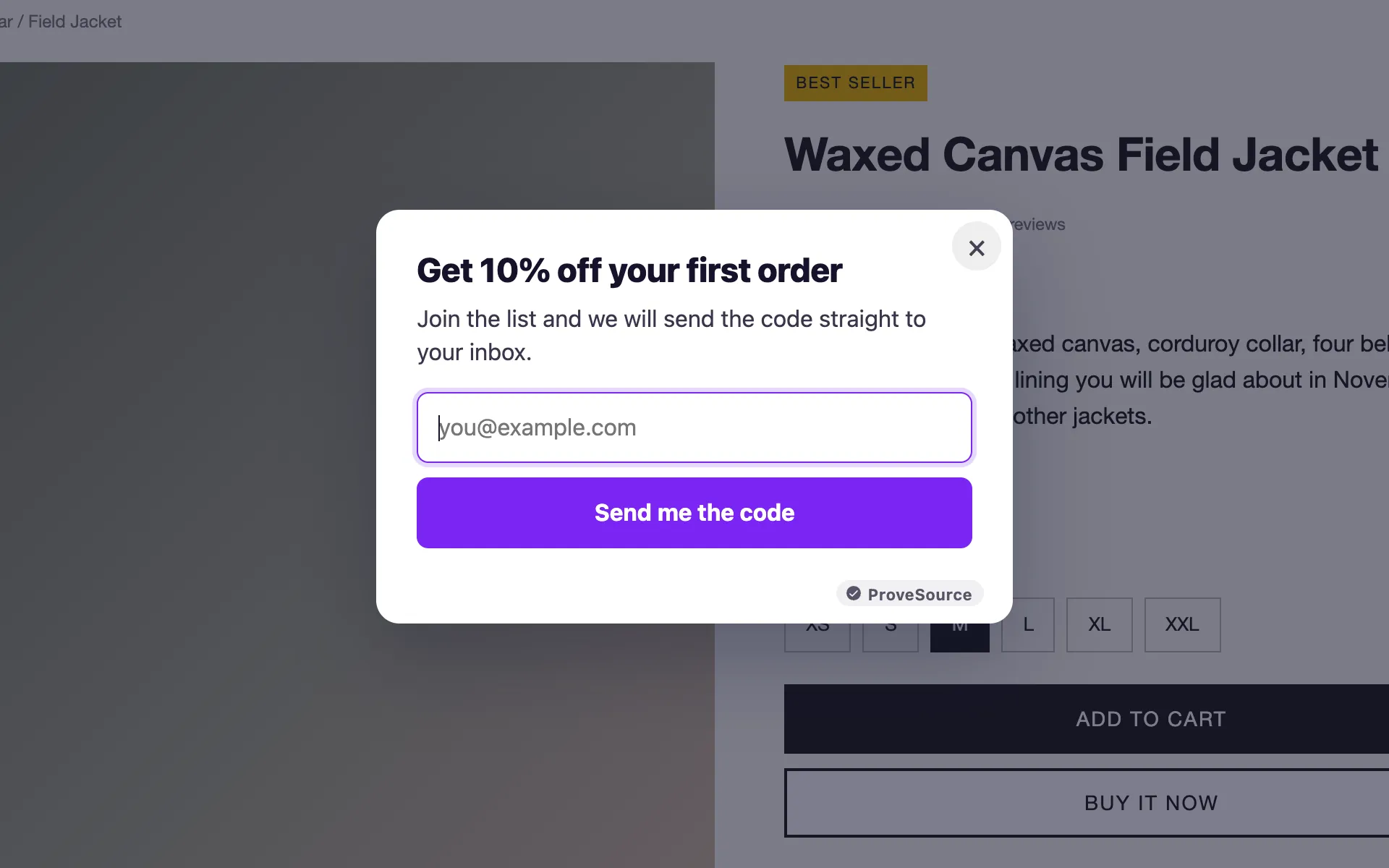
Most sites do not need a custom widget. A welcome discount, an exit-intent email popup, a spin-to-win wheel, a free shipping bar or a countdown next to the price are all better as templates: they are ready in a minute, their prizes and forms are built in, and you change them with a few fields instead of a prompt.

Use the AI builder when the widget has to do something a template cannot, like ask questions and branch on the answers, calculate something, or follow a flow that is specific to your business.

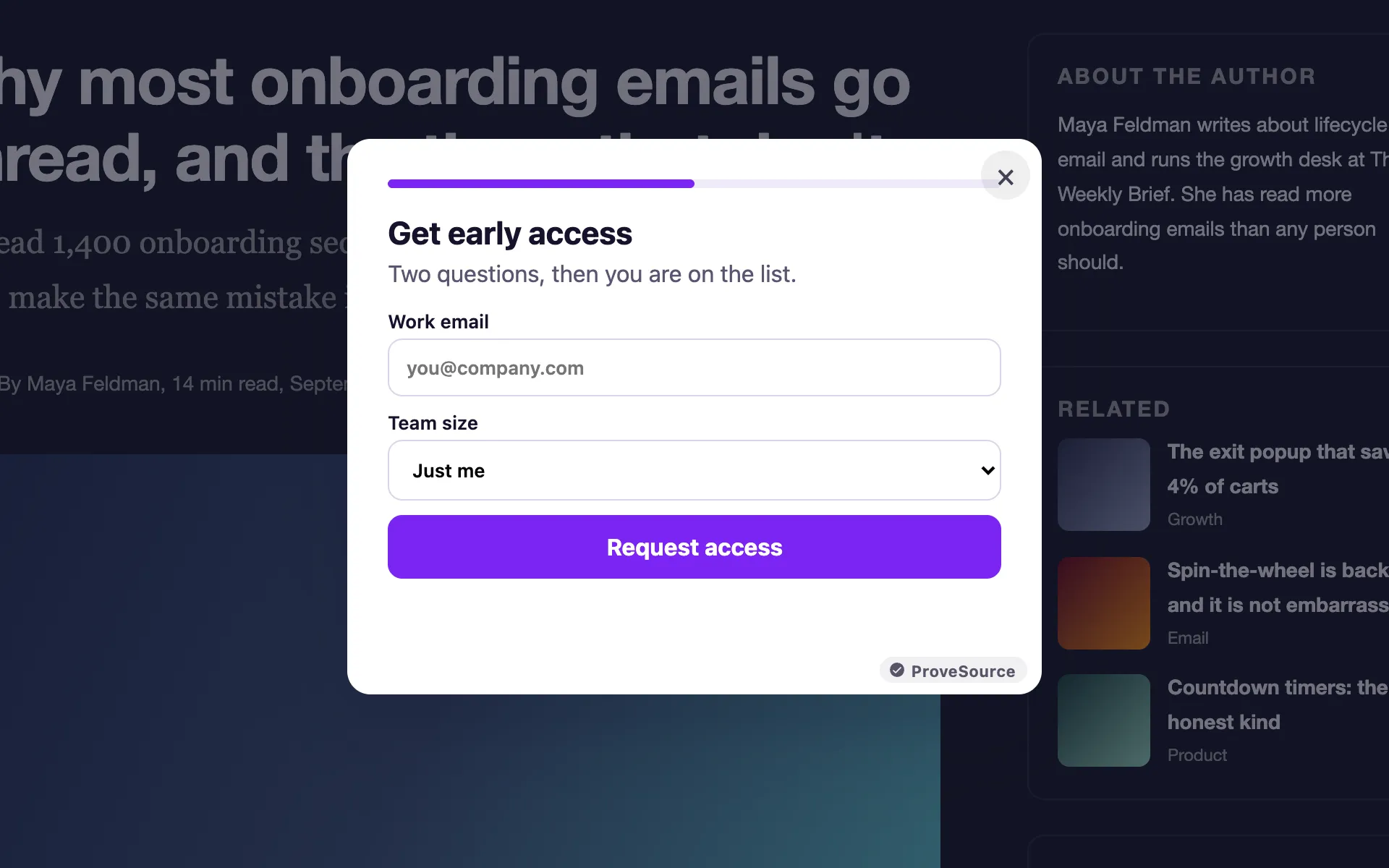
Built With the AI Builder, Next to a Template

A Custom Widget Without the Custom Work

Edit by Asking

Describe the change in words. The widget is rewritten with it, and the version before is kept.

On Brand From the Start

Your site's colors and fonts are read before the first draft is written.

Sandboxed

The code runs in an isolated frame with no access to your page, cookies or visitors.

Leads Go Anywhere

Answers and emails go to CSV, email alerts, webhooks, Klaviyo or Shopify customers.

Measured Like the Rest

Views, clicks and leads by day, plus events in GA4, Tag Manager and the Meta pixel.

Works Everywhere

Shopify, WordPress, Wix, Squarespace, Webflow, Framer or plain HTML.

Free Forever. Upgrade When You Grow.

Free

$0/forever
  • 3 widgets
  • 1,000 views a month
  • Every feature, unlimited leads
  • 3 AI widget generations
  • Small ProveSource badge
Start Free

Pro

$24/month
  • Unlimited widgets and views
  • No badge
  • 30 AI generations a month
  • Or $195 a year, 2 months free
Start Free, Upgrade Anytime

Frequently Asked Questions

What is an AI widget builder?

A tool that writes a website widget from a description. You say what it should do, the AI writes the HTML, CSS and JavaScript, and you get a working widget you can preview, change and embed with one line of code.

What can I build with it?

Anything that fits in a popup, a corner card, a bar or a space inside your page: quizzes, calculators, multi-step forms, size finders, content upgrades, event signups. If it collects an answer or an email, the leads land in your dashboard like any other Boost widget.

Do I need to know how to code?

No. You describe it and ask for changes in plain words. The code is there if you want it: open the code editor and change the HTML, CSS or JavaScript yourself.

Is AI-written code safe to put on my site?

It runs inside a sandboxed frame. It can draw, animate and submit its form, but it cannot read your page, your cookies or your visitors' data, and your theme's CSS cannot break it.

Where do the answers and emails go?

To the widget's leads in your dashboard, with every answer attached. From there: CSV export, an email alert, a webhook, Klaviyo or your Shopify customers.

How many widgets can I generate for free?

The free plan includes 3 AI generations. Pro includes 30 a month. A new widget and a requested change each use one generation; editing the code or the text yourself uses none.

Will it match my brand?

It reads your site's colors and fonts before it writes, so the first draft usually looks like it belongs. Mention anything specific in your description, like "dark background" or "rounded buttons".

Is it really free?

Yes. The free plan includes 3 widgets and 1,000 views a month with every feature and unlimited leads, and shows a small ProveSource badge. Pro is $24 a month or $195 a year for unlimited widgets and views, with no badge.

Do I need a developer?

No. You paste one line of code, the same on every platform. There are step-by-step instructions for Shopify, WordPress, Wix, Squarespace, Webflow, Framer and Google Tag Manager above.

Will it slow down my site?

No. The script loads asynchronously from a CDN after your page renders. Widgets draw in an isolated layer, so your theme's CSS can't break them and theirs can't touch your site.

Can I edit it after it's live?

Yes. The tag only carries your widget ID. Save a change in your free dashboard and your site shows it on the next page view. You never touch the code again.

Show Visitors Who Already Bought

ProveSource shows real purchases and signups as visitors browse, so the people who reach your widget already trust you. Free to start, too.

See ProveSource Social Proof