21 Black Friday Marketing Ideas for Small Online Stores in 2026

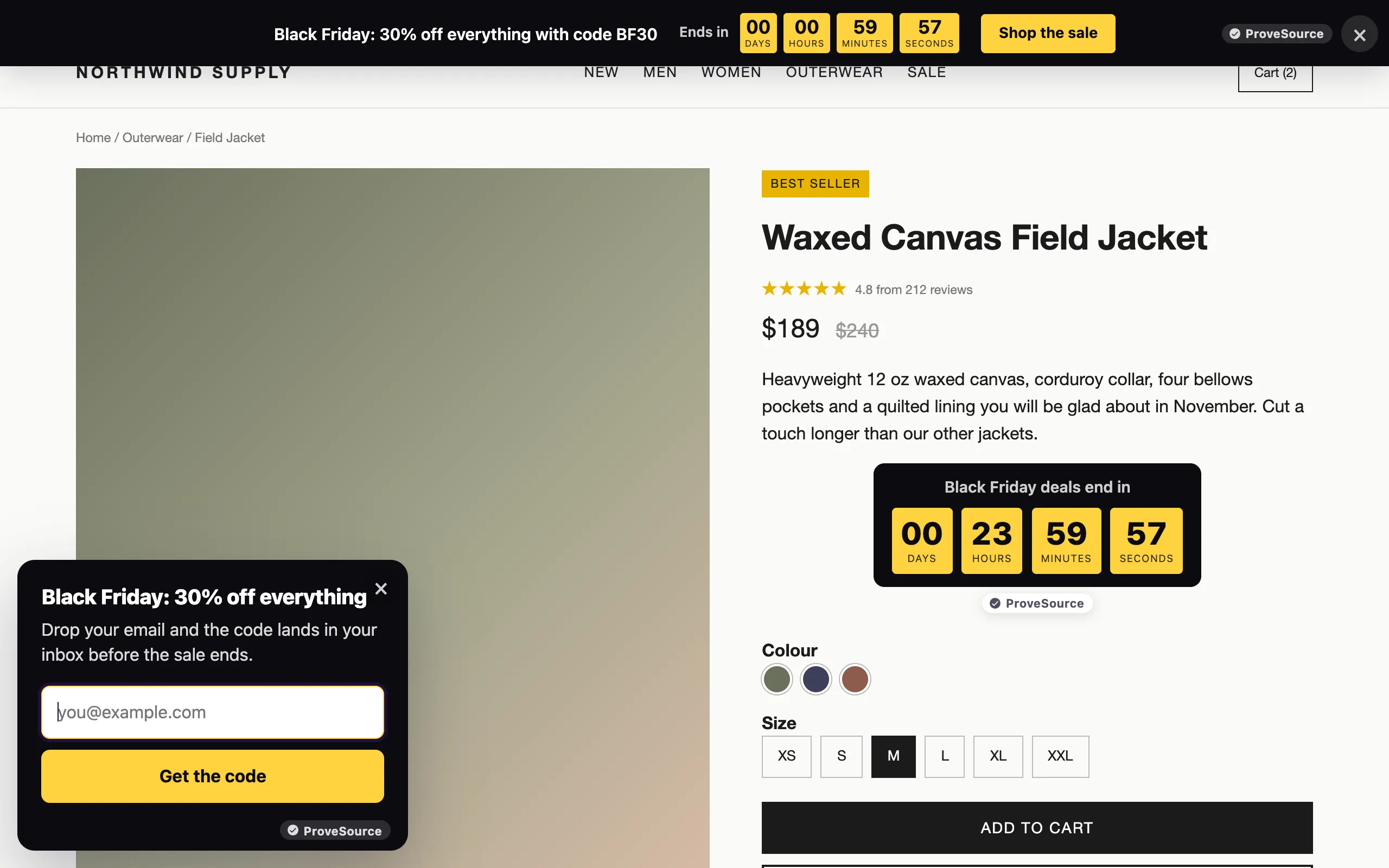
In this article
- Why small stores should still bother
- All 21 ideas at a glance
- Before Black Friday: 6 ideas to build the list
- On Black Friday: 9 ideas that turn traffic into orders
- Cyber Monday and after: 6 ideas
- Black Friday ideas that protect your margin
- A one-week Black Friday setup checklist
- Set up your Black Friday popup free
- Frequently asked questions
Most Black Friday marketing ideas lists are written for brands with an agency and a media budget. This one is for a small store with three weeks and no developer. Black Friday 2026 is Friday 27 November and Cyber Monday is Monday 30 November, so every idea below has a date to start, the time it takes, an example you can copy and a free tool to do it with.
The short version: start an early-access list this week, decide one clear offer, then let a sale bar, a countdown and an exit offer do the selling on the day. Build all of it now and schedule it, so nothing depends on you being awake at midnight.
One disclosure: ProveSource Boost, which runs the popups, bars and timers in the screenshots, is our product. Each idea also works with whatever tool you already use.
Why small stores should still bother
The big numbers are real. Adobe counted $11.8 billion in US online spending on Black Friday 2025, up 9.1% on 2024, and $14.25 billion on Cyber Monday. Shopify reported that more than 94,900 of its merchants had their highest-selling day ever over the 2025 Black Friday weekend, with an average cart of $114.70.
Two details from those reports matter more than the totals. Adobe says phones made 57.5% of Cyber Monday’s online sales, so every popup and bar has to work on a small screen first. And Adobe’s analyst said Black Friday now challenges Cyber Monday because deals pushed shoppers to buy earlier. The stores that are ready before the Friday get those early orders.
All 21 ideas at a glance
| # | Idea | Start | Setup time | Free tool |
|---|---|---|---|---|
| 1 | Early-access popup | This week | 15 minutes | Boost popup |
| 2 | Teaser bar with the date | This week | 10 minutes | Boost announcement bar |
| 3 | One offer, written in one sentence | This week | 30 minutes | A spreadsheet |
| 4 | Black Friday collection page | By 20 November | 1 hour | Your store |
| 5 | Three emails, already scheduled | By 20 November | 2 hours | Your email tool |
| 6 | Reviews on your best sellers | By 20 November | 1 hour | Your review app |
| 7 | Sale bar with a live countdown | Schedule now | 10 minutes | Boost announcement bar |
| 8 | Countdown by the price | Schedule now | 10 minutes | Boost countdown timer |
| 9 | Free shipping bar that reads the cart | Schedule now | 10 minutes | Boost announcement bar |
| 10 | Spin to win for new visitors | Schedule now | 20 minutes | Boost spin the wheel |
| 11 | Exit offer that is not a bigger discount | Schedule now | 10 minutes | Boost popup |
| 12 | Codes that apply themselves | With your codes | 5 minutes | Shopify discounts |
| 13 | A different message for your subscribers | Schedule now | 10 minutes | Boost display rules |
| 14 | No popups on cart and checkout | Before 27 November | 5 minutes | Boost display rules |
| 15 | One honest doorbuster | By 20 November | 30 minutes | Your inventory |
| 16 | The Cyber Monday switch | Schedule now | 15 minutes | Boost scheduling |
| 17 | Last hours countdown | Schedule now | 5 minutes | Boost countdown timer |
| 18 | A January code for returning visitors | Schedule now | 15 minutes | Boost popup |
| 19 | Christmas shipping cutoff bar | 1 December | 10 minutes | Boost announcement bar |
| 20 | A welcome flow for sale signups | By 27 November | 1 hour | Your email tool |
| 21 | A 20-minute review of what worked | 1 December | 20 minutes | Boost stats, GA4 |
Before Black Friday: 6 ideas to build the list
The first two weeks of November decide how the sale goes. A store that opens on 27 November with 400 subscribers waiting for a code has a different day from one that opens with nothing but hope.
1. An early-access popup
Ask for an email in exchange for the deal a day early. “Get our Black Friday sale 24 hours before everyone else” works better than “Join our newsletter”, because the visitor knows exactly what they get and when. Show it after 10 seconds or halfway down a page, once per visitor per week, and stop it on 26 November when early access opens.
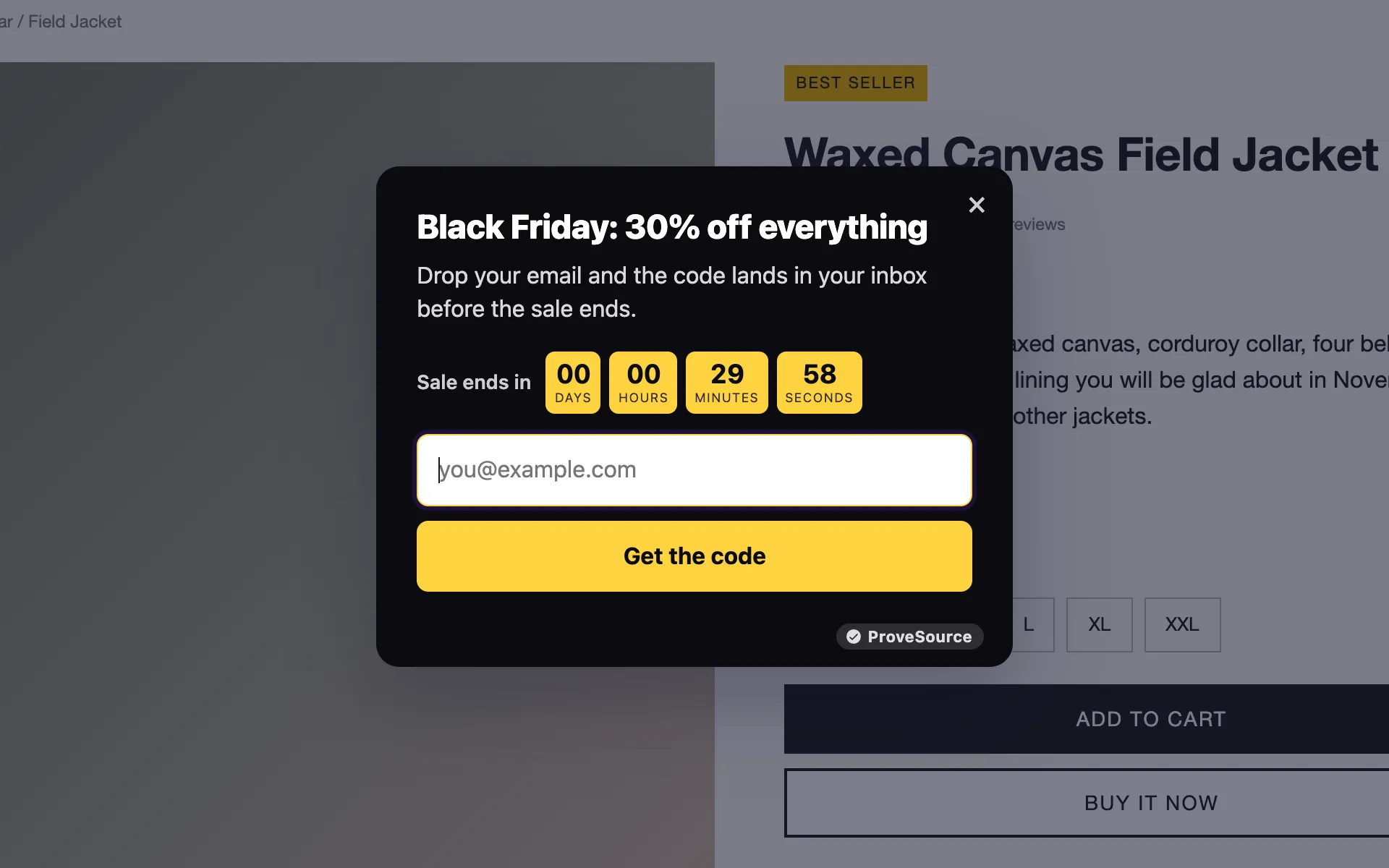
In Boost, start from the Black Friday template on the Black Friday popup page, change the headline and set Show until to the day early access opens. Signups go to Klaviyo or to any tool through a webhook, ready for idea 5.
2. A teaser bar with the date
Visitors who are not ready to sign up still need to know the sale is coming, or they buy elsewhere in the meantime. Put one line across the top of every page: “Black Friday starts Friday 27 November. Subscribers get in a day early.” Point its button at your sale page or your signup form. An announcement bar takes 10 minutes, and its Show until date means it disappears when the real sale bar takes over.
3. One offer, written in one sentence
Before designing anything, write the offer the way it will appear on the bar: “30% off everything with code BF30, until Monday 30 November at 23:59.” If it does not fit in one sentence, it is too complicated for a shopper scrolling on a phone. Tiered offers (“Spend $100, save $20. Spend $150, save $40”) fit too, and they lift the cart instead of only cutting the price. Check the margin math further down before you settle on a percentage, and see our coupon code ideas for code names that are easy to remember and type.
Selling into the EU? There, a “was” price or a percentage off has to be measured from the lowest price you charged in the 30 days before the sale. The EU Court of Justice confirmed this in a September 2024 ruling against Aldi, so do not raise prices in early November to make the discount look bigger.
4. A Black Friday collection page
Make one collection with everything in the sale, sorted with best sellers first, and point every bar, popup and email at it. Add a gift section with price bands (under $25, under $50) for people buying for someone else. An hour in your store’s admin is enough.
5. Three emails, already scheduled
Write them now and schedule them, so they go out even on a busy day:
- Thursday 26 November: early access is open, here is your code.
- Friday 27 November, morning: the sale is live for everyone, with your best sellers.
- Monday 30 November, afternoon: last hours, the sale ends at 23:59.
Send the early-access list the first email only, and leave the rest of your list for the second. If you collect signups with Boost, connect Klaviyo under Integrations and every new email lands on the list you pick.
6. Reviews on your best sellers
During the sale weekend shoppers compare your product with the same thing at three other stores, and reviews are often what decides it. Ask your last two months of buyers for a review now, while there is time for the reviews to arrive, and make sure your review app shows them near the price. If you also want to show real recent purchases while the sale runs, ProveSource social proof notifications (also ours) do that on the free plan.
On Black Friday: 9 ideas that turn traffic into orders
On the weekend itself, your job is to make the offer impossible to miss and the checkout impossible to abandon by accident. Everything here can be built today and scheduled.
7. A sale bar with a live countdown
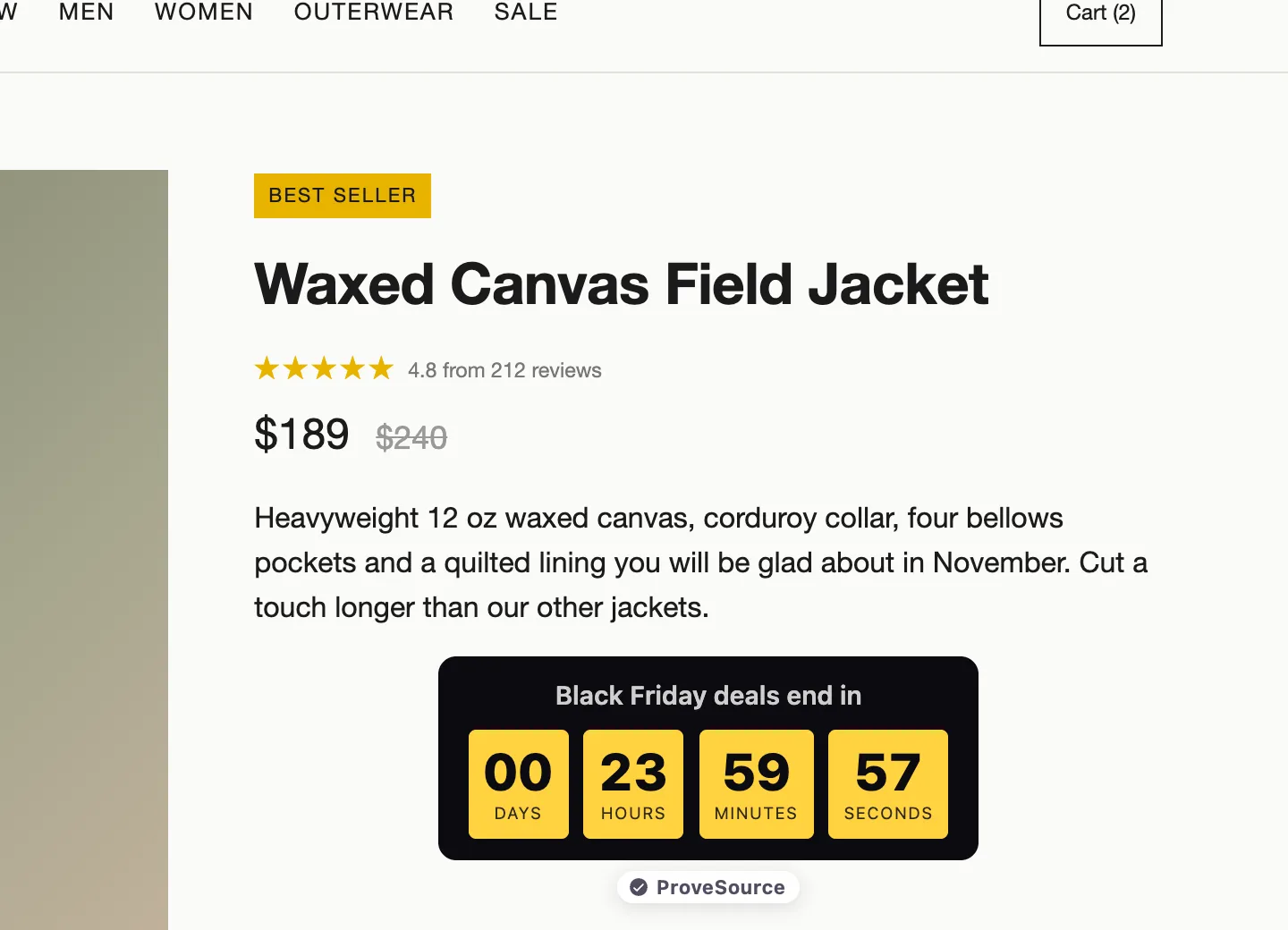
The bar across the top is the line every visitor sees on every page. Put the offer, the code and a countdown to the real end of the sale in it, with a button to the collection page.
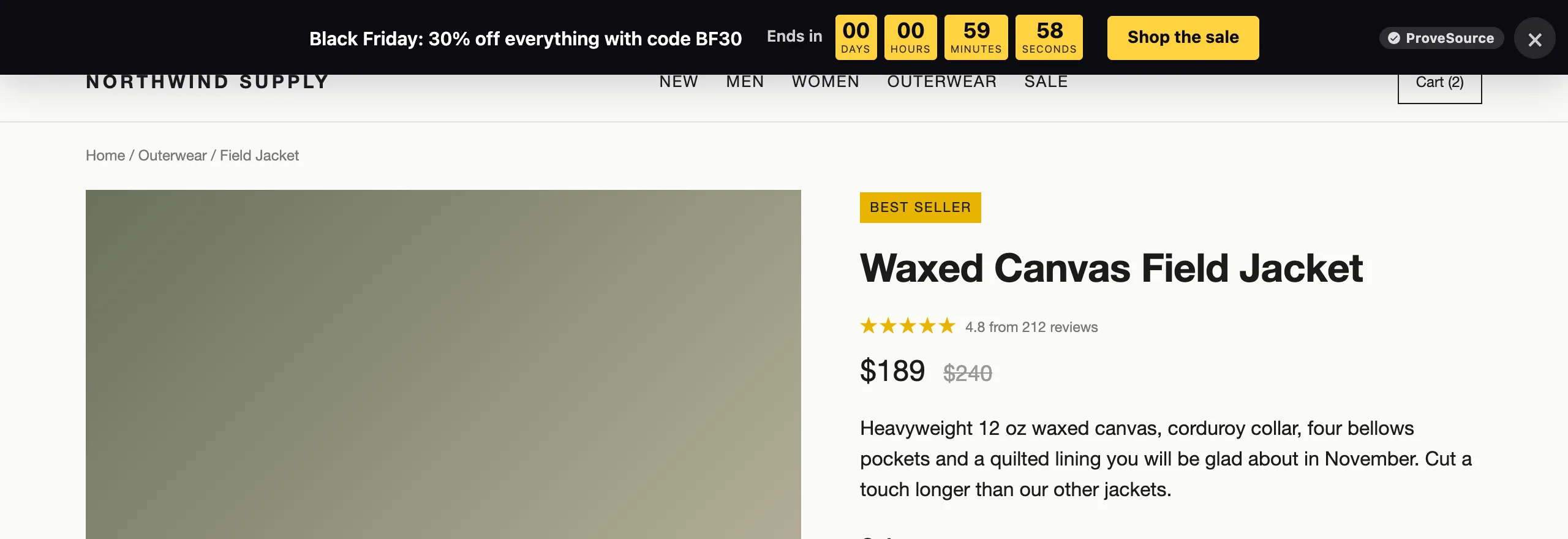
Set the bar’s Show from to the moment your sale opens and Show until to the end, so it switches itself on and off.
8. A countdown by the price
A second timer right under the price on your best sellers puts the deadline where the buying decision happens. Count down to a fixed date and time that is the same for every shopper, and decide now what happens at zero: hide it, show “This offer has ended” or send visitors to a page.
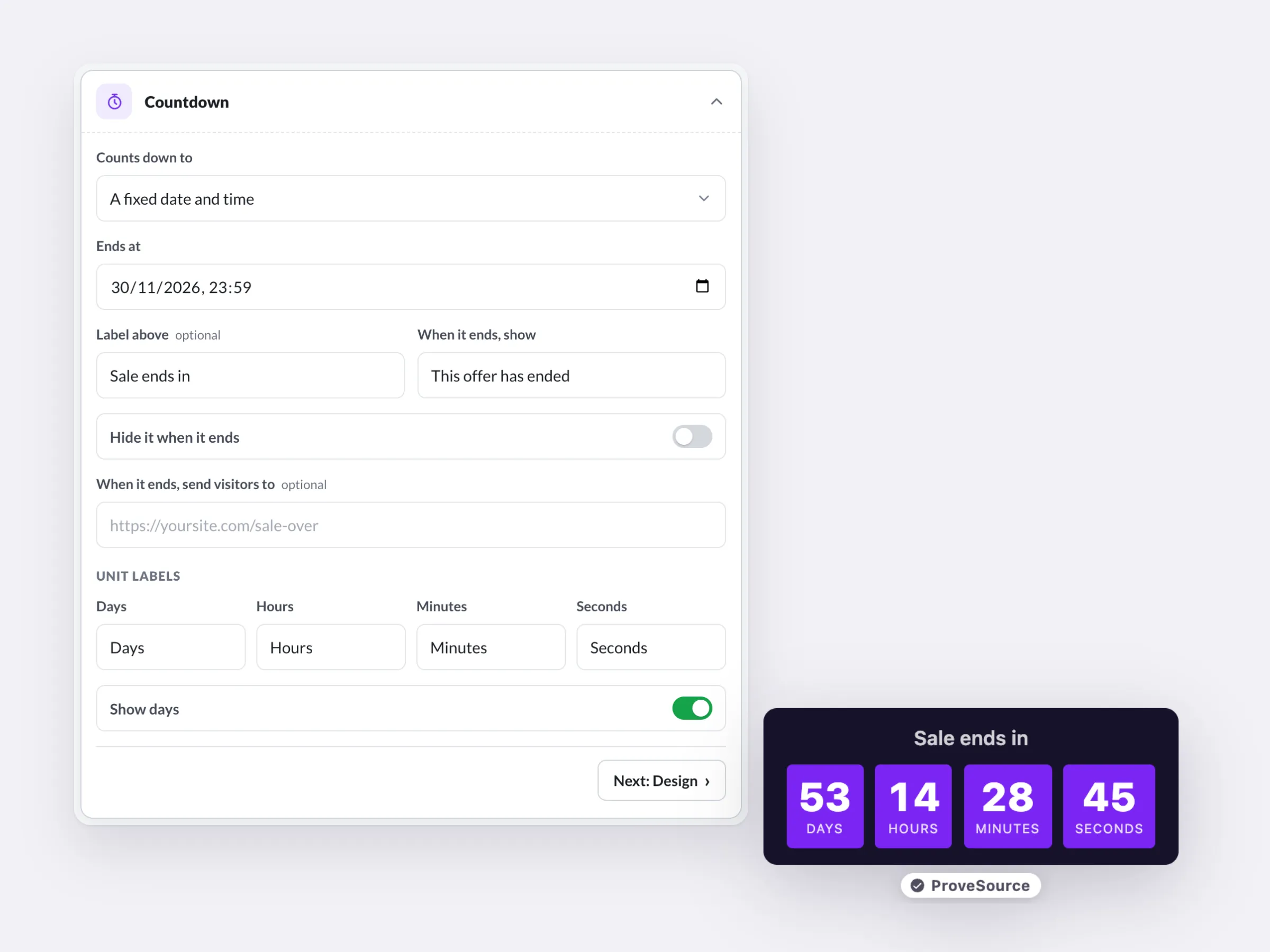
This is where honesty matters. The FTC’s 2022 dark patterns report calls out countdown timers that make shoppers believe they only have a limited time when the offer is not actually time-limited. A timer that restarts on reload, or a sale that “ends” every night and comes back the next morning, is that. A real deadline needs no tricks. Our guide on creating urgency without being pushy has more on where the line is. The free Black Friday countdown timer can run fixed dates for the sale and evergreen timers for the rest of the year.
9. A free shipping bar that reads the cart
Unexpected costs are the top fixable reason people leave a checkout. In Baymard Institute’s cart abandonment research, 40% of US shoppers who abandoned for a reason other than “just browsing” said extra costs such as shipping, tax and fees were too high. A bar that says “You are $20 away from free shipping” turns that cost into a reason to add one more item.
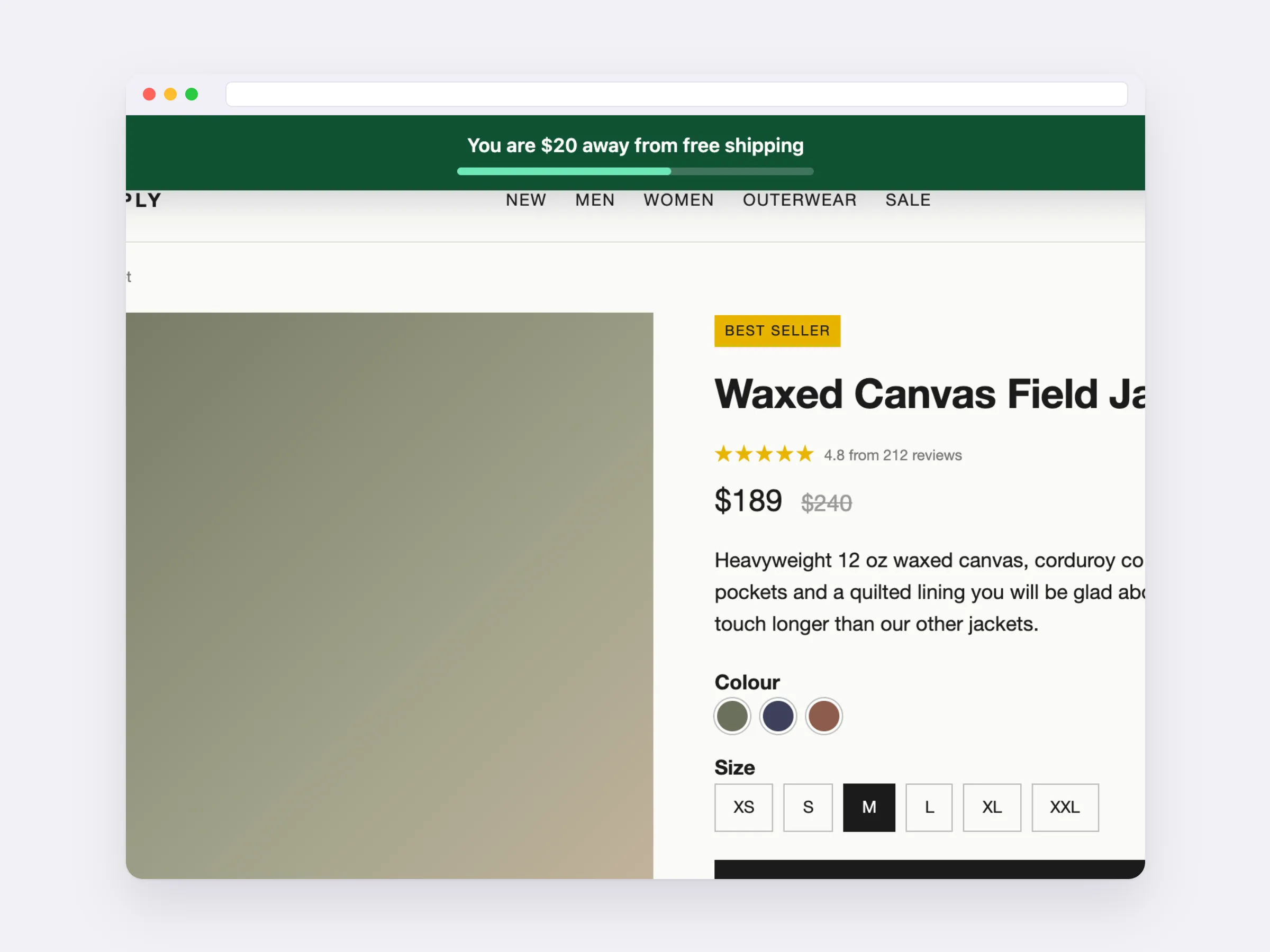
Set the threshold a bit above your usual order value, so most carts are one small item away. If your average order is $48, a $60 threshold asks for one more accessory, not a second jacket. Boost’s bar reads the cart on Shopify, and on WooCommerce through the WordPress plugin, and updates as the shopper adds items.
10. Spin to win, for new visitors only
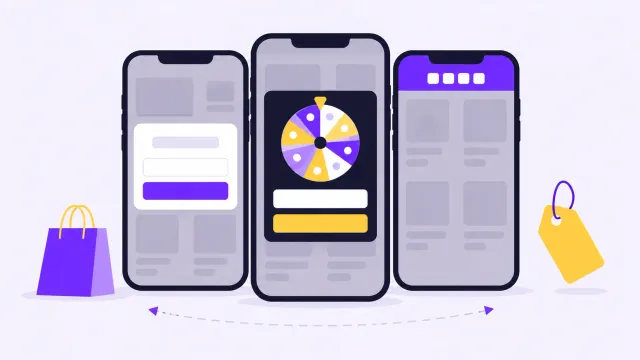
A spin the wheel popup turns the discount into a game: the visitor enters an email, spins and wins a prize. Every slice has to be a real prize you are happy to give, such as 10% off, 15% off, free shipping or a free gift with an order over $75.
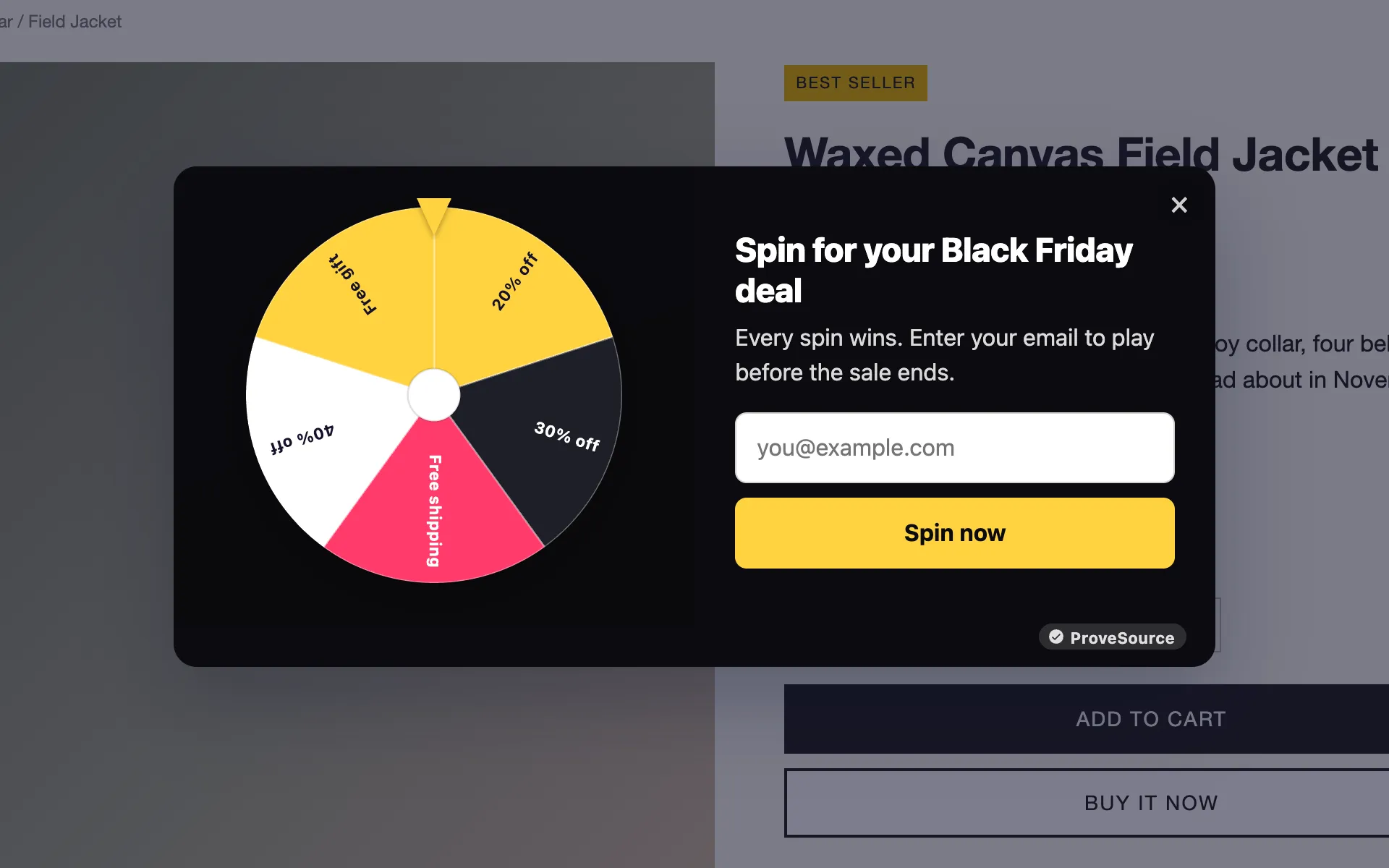
Two settings keep the wheel from costing more than it brings in. Under display rules, choose New visitors only, because your subscribers and returning shoppers already have the main code. Then set each slice’s weight so the 40% slice rarely wins and the most common prize is the one you would offer anyway. Boost shows each slice’s chance as you change the weights. Cost the wheel by its most likely prize, not its biggest.
11. An exit offer that is not a bigger discount
When a visitor moves to close the tab, a popup can make one last offer. If everyone already sees 30% off, a bigger percentage at exit teaches shoppers to try leaving. Offer something else: free shipping on this order, a free gift, or “Email me my cart and the code” so they can finish later on their laptop.
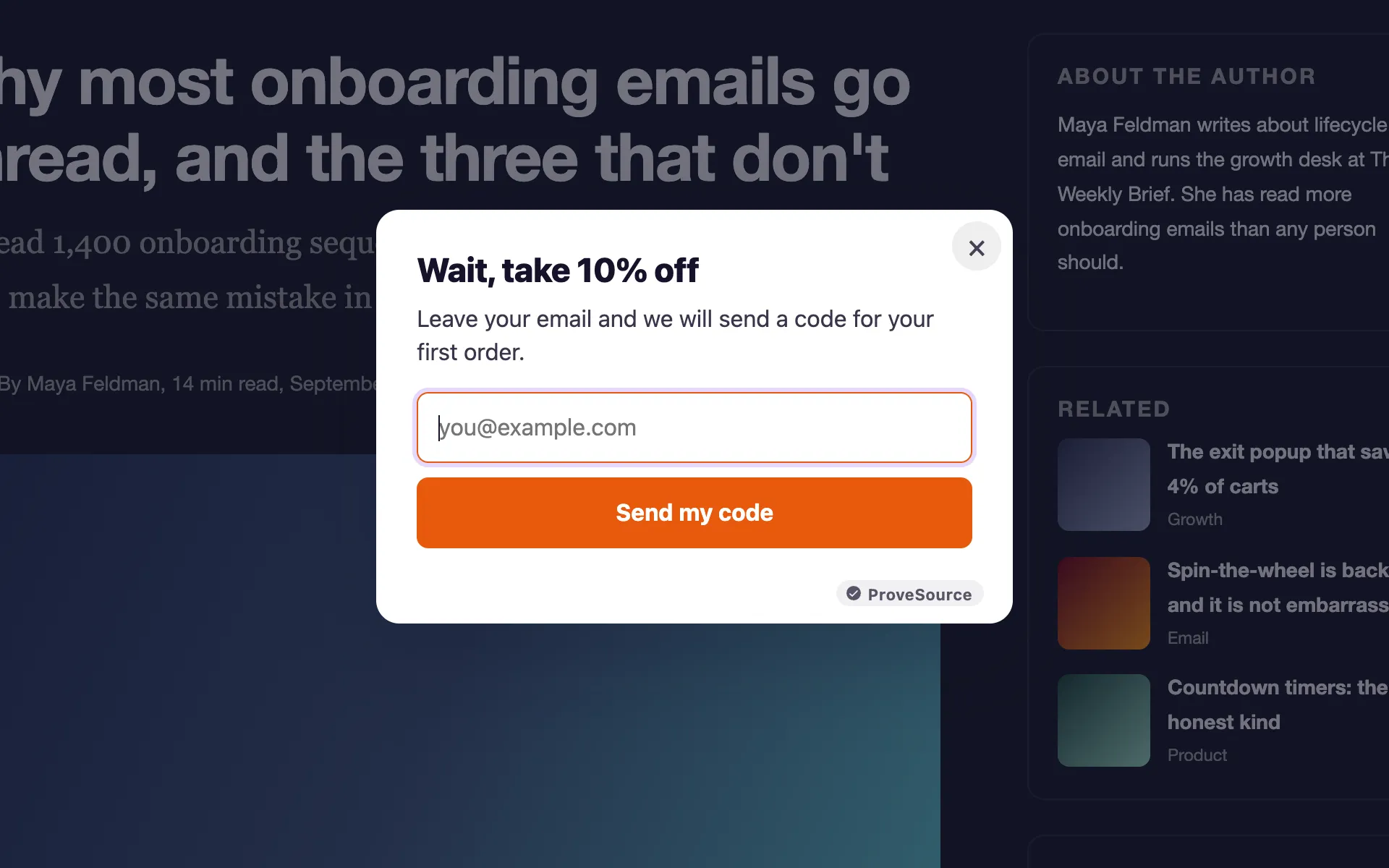
In Boost, any popup can open “When the visitor is about to leave”. A phone has no cursor to leave the window with, so on touch screens the same popup opens after 15 seconds instead. The exit intent guide covers the details.
12. Codes that apply themselves
Every code a shopper has to copy, remember and type is a chance to lose the sale on a phone. On Shopify, create the code in your discounts and add it to the popup or wheel in Boost. It shows after signup with a copy button, and can apply itself at checkout. On other platforms, put the code in the bar too, so it is on screen when they reach the cart.
13. A different message for your subscribers
The people who signed up for early access do not need another popup asking for their email. Boost’s display rules can show a widget “Only when they came from” a source, such as utm_source=newsletter if your email links carry it. Use it to show subscribers a bar that says “Your early access code BF30 is ready”, and hide the signup popup from them.
14. No popups on cart and checkout
A popup that covers the payment form costs you an order. Under display rules, put /cart and /checkout in Never on pages containing, and set each popup to come back after a day at most, not on every visit. Test the whole path once on your phone in a private window before the Friday: product page, cart, checkout.
15. One honest doorbuster
Pick one product with a strong discount and a real, limited quantity, say 50 units, and say so: “50 at this price, then it goes back to $89.” Scarcity works when it is true. A fake “only 2 left” misleads shoppers the same way a fake timer does. If you cannot hold the stock, skip this idea rather than invent a number.
Cyber Monday and after: 6 ideas
The weekend is not the end. Cyber Monday was still the larger online day in Adobe’s 2025 data, and December brings Christmas shoppers who missed the sale.
16. The Cyber Monday switch
Build a second bar now, with “Cyber Monday: last day for 30% off” and a countdown to 23:59 on 30 November. Set it to Show from 00:00 on Monday 30 November, and set the Black Friday bar’s Show until to 23:59 on Sunday 29 November. The swap happens on its own.
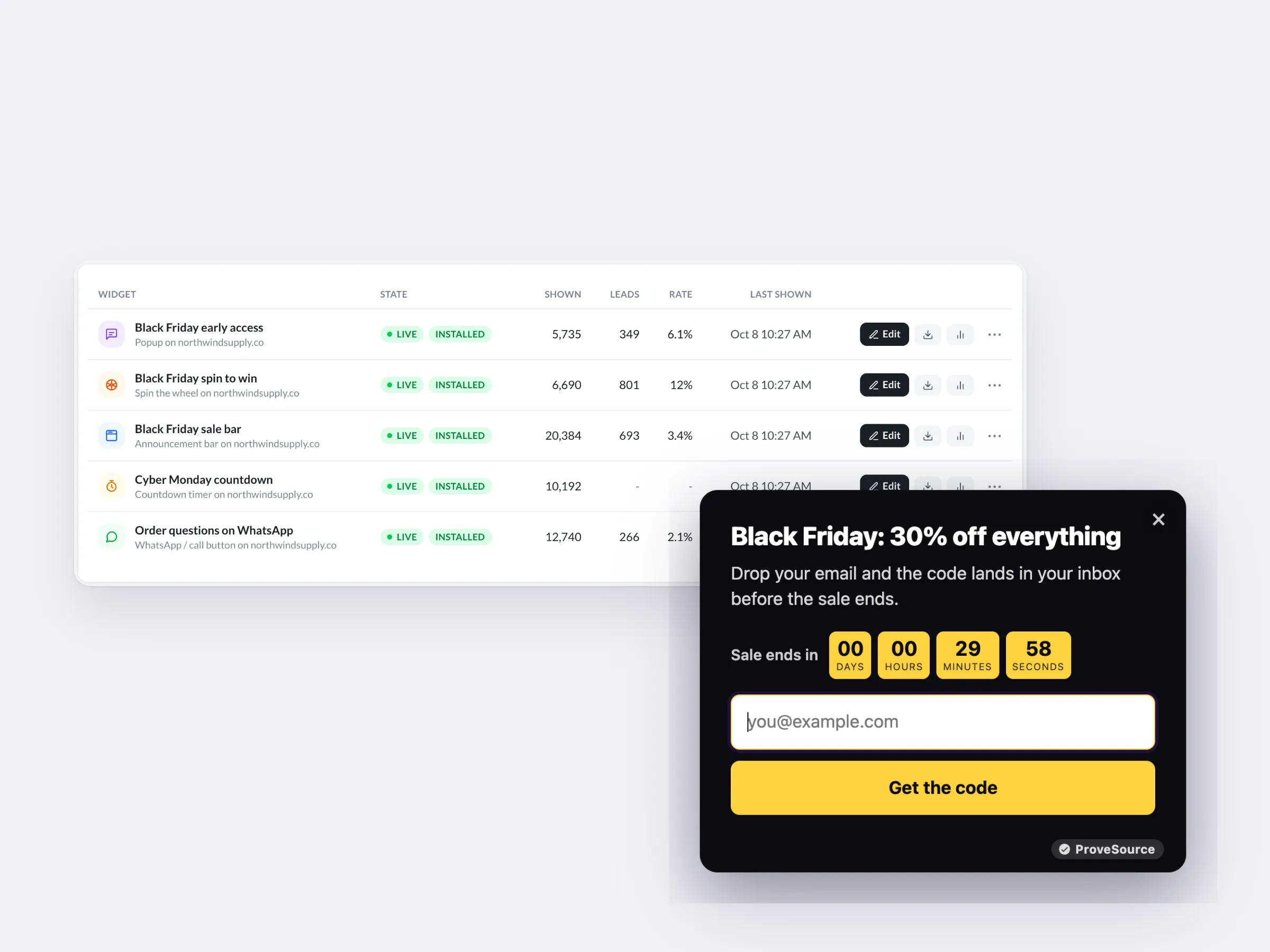
17. A last-hours countdown
On Monday afternoon, the sale should feel like it is ending, because it is. Change the countdown label to “Last hours” and send the third email. A countdown that hides itself at zero means no expired promise stays on the site Tuesday morning.
18. A January code for returning visitors
From 1 December, show returning visitors a short popup: “Thanks for shopping our Black Friday sale. Here is 10% off your next order in January.” Choose Returning visitors only and Show from 1 December. It gives this month’s new customers a reason to come back when sales are quiet.
19. A Christmas shipping cutoff bar
Once the sale bar is gone, the next useful line is the last day to order for delivery before Christmas. Check the cutoff dates your carriers publish for 2026, add a day of handling, and put it in a bar: “Order by Thursday 17 December for Christmas delivery in the US.” Use the real date from your carrier, not this example.
20. A welcome flow for sale signups
The early-access list and the wheel signups are new subscribers who came for a discount. Put them in a short welcome flow in your email tool: one email about your best sellers, one about how you make or source things, one with reviews. Without it, a list built in November goes cold by January.
21. A 20-minute review of what worked
On 1 December, open your widget stats and write down views, leads and conversion rate for each popup, bar and wheel, plus revenue by discount code from your store. Keep the note with the widgets. In Boost, you can duplicate any widget next November, change the dates and the code, and it is ready.
Black Friday ideas that protect your margin
A discount is paid for by every order, including the ones that would have happened anyway. This is the math worth doing before you pick a percentage.
Say a product sells for $60 and costs you $24, a 60% gross margin. At 30% off it sells for $42 and earns $18 instead of $36, so you need to sell twice as many to make the same profit. The formula is margin divided by (margin minus discount):
| Discount | Extra units needed to earn the same profit (60% margin) |
|---|---|
| 10% | 20% more |
| 20% | 50% more |
| 30% | 100% more |
| 40% | 200% more |
If doubling your volume is not realistic, use one of these instead of a deeper cut:
- A free shipping threshold answers the top fixable checkout complaint and raises the order value at the same time (idea 9).
- A gift with purchase: on the $60 order, a gift that costs you $8 leaves $28 of profit. A 20% discount on the same order leaves $24, and the gift often feels like more.
- Bundles of two or three products that sell well together at a lower combined price move more units per order without cutting the price of each one alone.
- A tiered offer such as “Spend $100, save $20” only pays the discount on carts that grow to reach it.
A one-week Black Friday setup checklist
If you start this week, this is enough to be ready by Monday 9 November and spend the rest of the month on products and emails.
- Day 1: write the offer in one sentence, do the margin math, and create the codes in your store.
- Day 2: build the early-access popup (idea 1) and the teaser bar (idea 2), and turn them on.
- Day 3: build the collection page (idea 4) and ask recent buyers for reviews (idea 6).
- Day 4: build the sale bar, the countdown by the price and the free shipping bar (ideas 7 to 9), scheduled for the sale dates.
- Day 5: build the spin to win and the exit offer (ideas 10 and 11), with display rules for new visitors, no cart or checkout pages, and a day between showings.
- Day 6: write and schedule the three emails (idea 5), the Cyber Monday bar (idea 16) and the January popup (idea 18).
- Day 7: open the store on your phone in a private window and walk through it: product page, popup, cart, checkout. Check every start and end time in your store’s time zone.
Set up your Black Friday popup free
ProveSource Boost has Black Friday templates for the popup, the sale bar, the countdown, the wheel and the scratch card, all with start and end dates. The free plan includes 3 widgets and 1,000 views a month with every feature. Pro is $24 a month for unlimited widgets and views, billed monthly, so you can upgrade for November and cancel after the sale. You add one line of code to Shopify, WordPress, Wix, Squarespace or any other site.
Set up your Black Friday popup free. If you are still choosing an app, our comparison of the best Shopify popup apps covers free plans and prices, and the free popup generator page shows every popup template.
Frequently asked questions
When should I start my Black Friday marketing?
Start now with an early-access list, three to four weeks before the sale. Black Friday 2026 is Friday 27 November and Cyber Monday is Monday 30 November. A popup that offers subscribers the deal 24 hours early gives you a list of people who already said yes, so the sale opens with orders instead of waiting for traffic.
Do countdown timers really work for Black Friday?
A countdown works when it counts to a real deadline that every shopper shares, like the end of your sale at 23:59 on 30 November. A timer that restarts on reload or a deadline that quietly moves is the kind the FTC calls deceptive in its 2022 dark patterns report, and shoppers notice. Use a fixed end date and let the timer hide or change its message at zero.
How much should I discount on Black Friday?
Work it out from your gross margin. With a 60% margin, a 20% discount needs 50% more units to keep the same profit, and a 30% discount needs twice as many. If that is unrealistic, use a free shipping threshold, a gift with purchase or a bundle instead of a bigger percentage.
Should I run a spin to win wheel on Black Friday?
It can work if every slice is a prize you are happy to give and you show it to new visitors only, since returning shoppers and subscribers already have a code. Price the wheel by its most likely prize, not its biggest one, and set the odds so the expensive slices win rarely.
What Black Friday marketing can I do for free?
An early-access popup, a sale bar with a countdown, a free shipping bar, an exit offer and two or three emails cover most of it. ProveSource Boost’s free plan includes 3 widgets and 1,000 views a month with every feature, which is enough for a small store’s popup, bar and timer. Busy stores pass 1,000 views quickly in November, and Pro is $24 a month, billed monthly.
Can I keep Black Friday deals running into Cyber Monday?
Yes. Schedule a second bar and countdown to start at 00:00 on Monday 30 November with the Cyber Monday message and a new end time, so the switch happens on its own while you sleep.