
Free Announcement Bar That Gets Clicked
Free shipping, a sale, a launch: one line and a button across every page, with an optional countdown. Free forever, no credit card.
- Free forever plan
- No credit card
- Live in 2 minutes
- Works on any website
Add an Announcement Bar in 3 Steps
- Sign Up FreeEnter your email or use Google. No password, no credit card.
- Design ItWrite your message, add a button and an optional countdown, pick your colors.
- Paste It & Go LiveAdd one line to your site. It's live on the next page view.
Sign up with your email or Google. No password, no credit card.
Bars That Drive Clicks
Real templates on real pages. Start from one and make it yours.
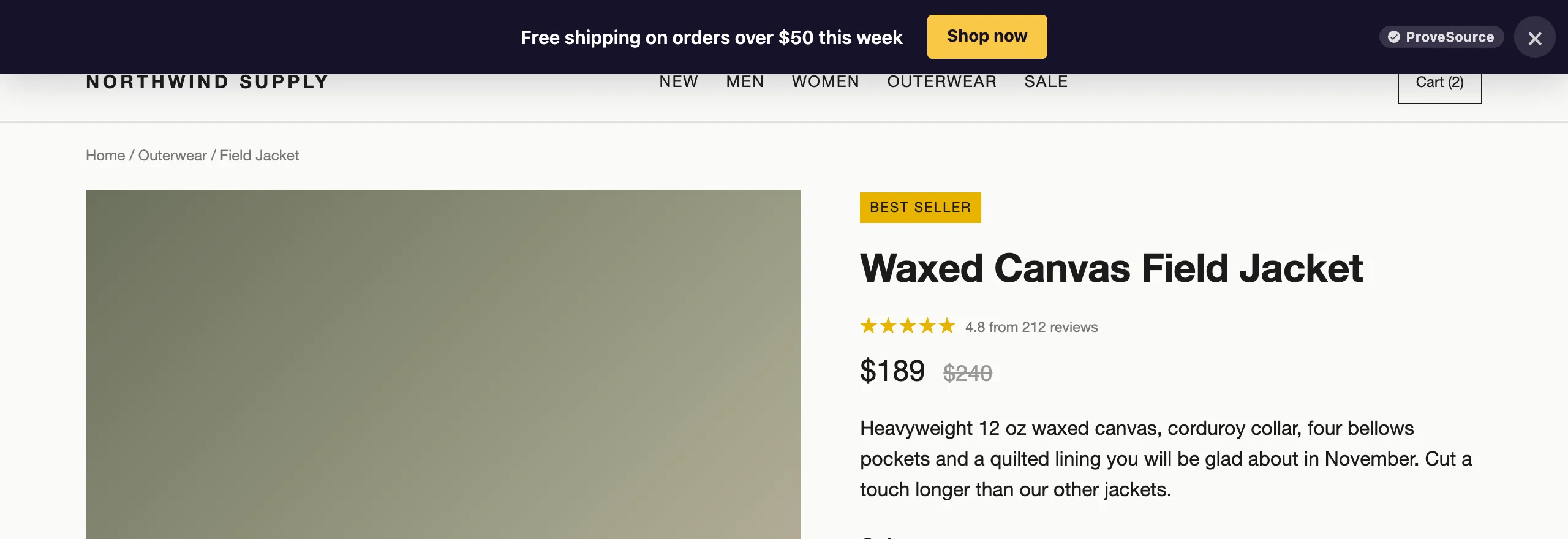
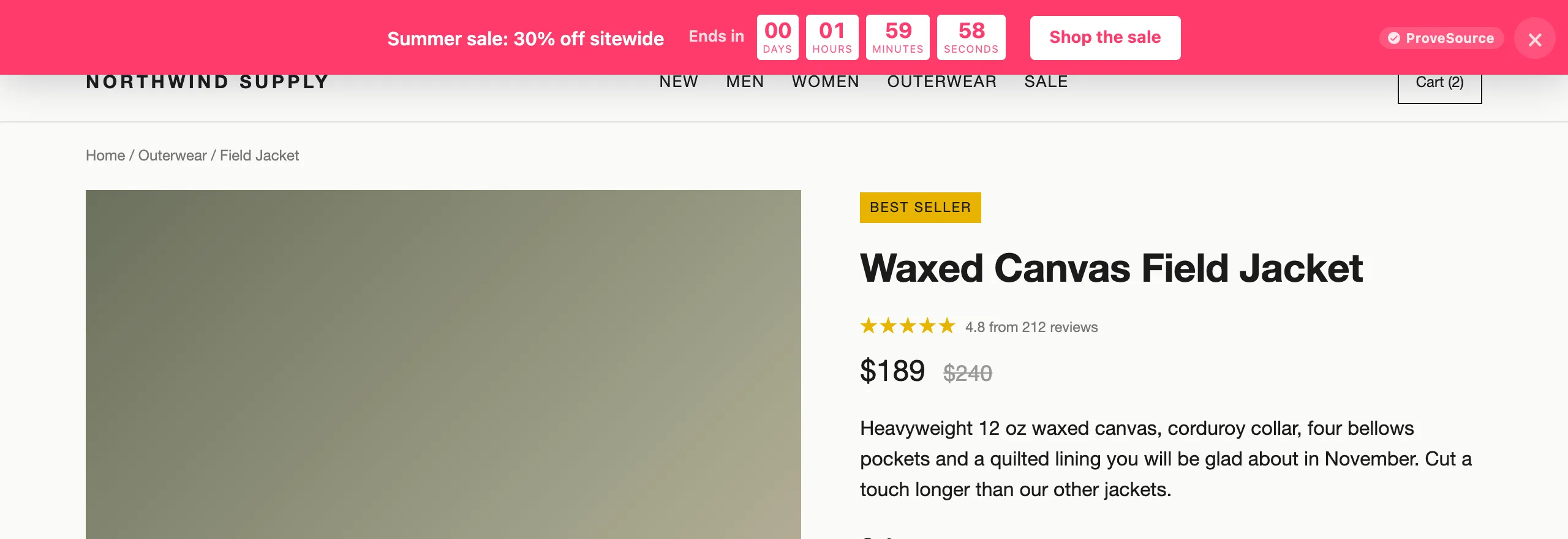
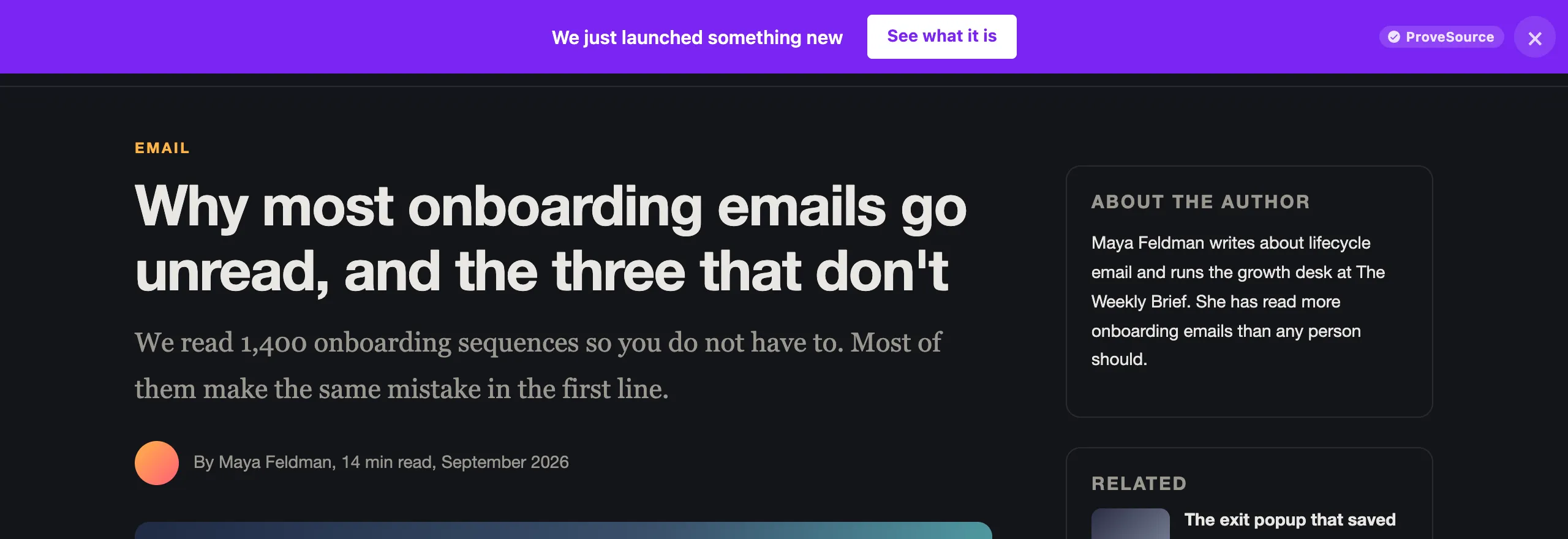
One Line on Every Page, Working Harder
Free shipping, a sale or a launch, said once and shown everywhere.
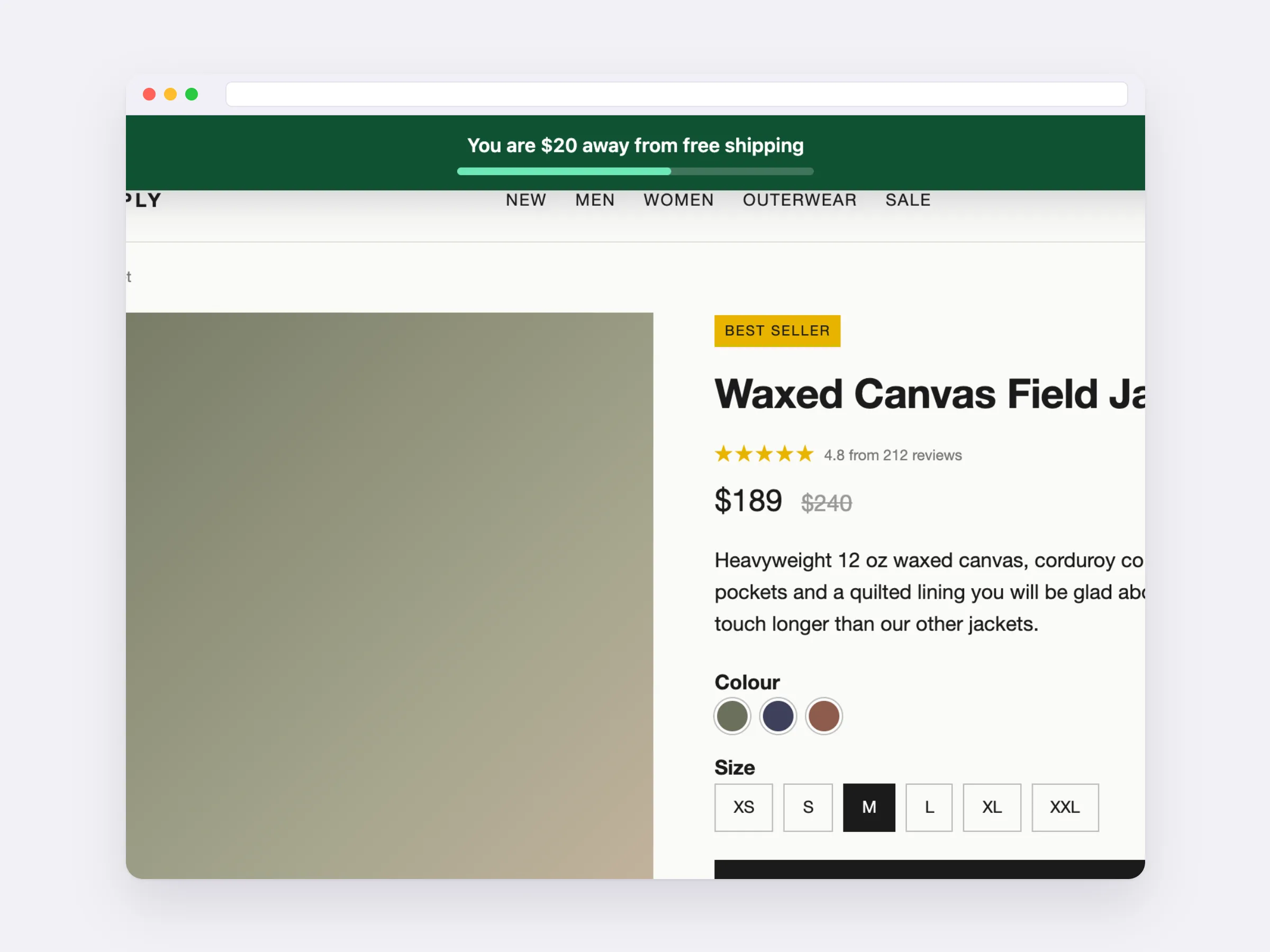
A Free Shipping Bar That Reads the Cart
It tells each shopper how much more to spend for free shipping, and updates as the cart changes.
- Reads the cart on Shopify, and on WooCommerce through the plugin
- Switches to your own message once they qualify
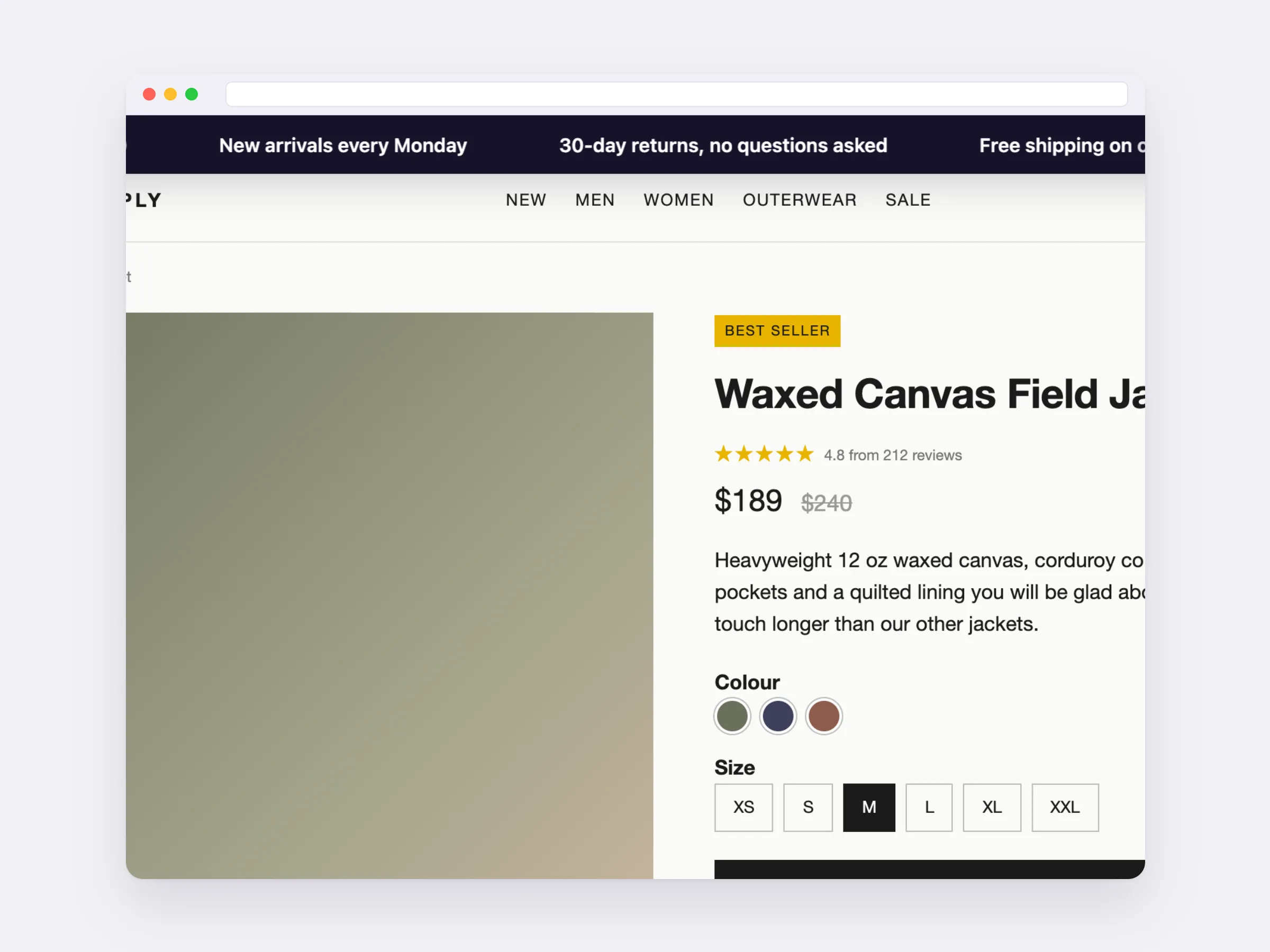
Several Messages in One Bar
A ticker scrolls up to six messages across the top, for stores with more than one thing to say.
- Shipping, returns and a new collection at once
- Slow, normal or fast
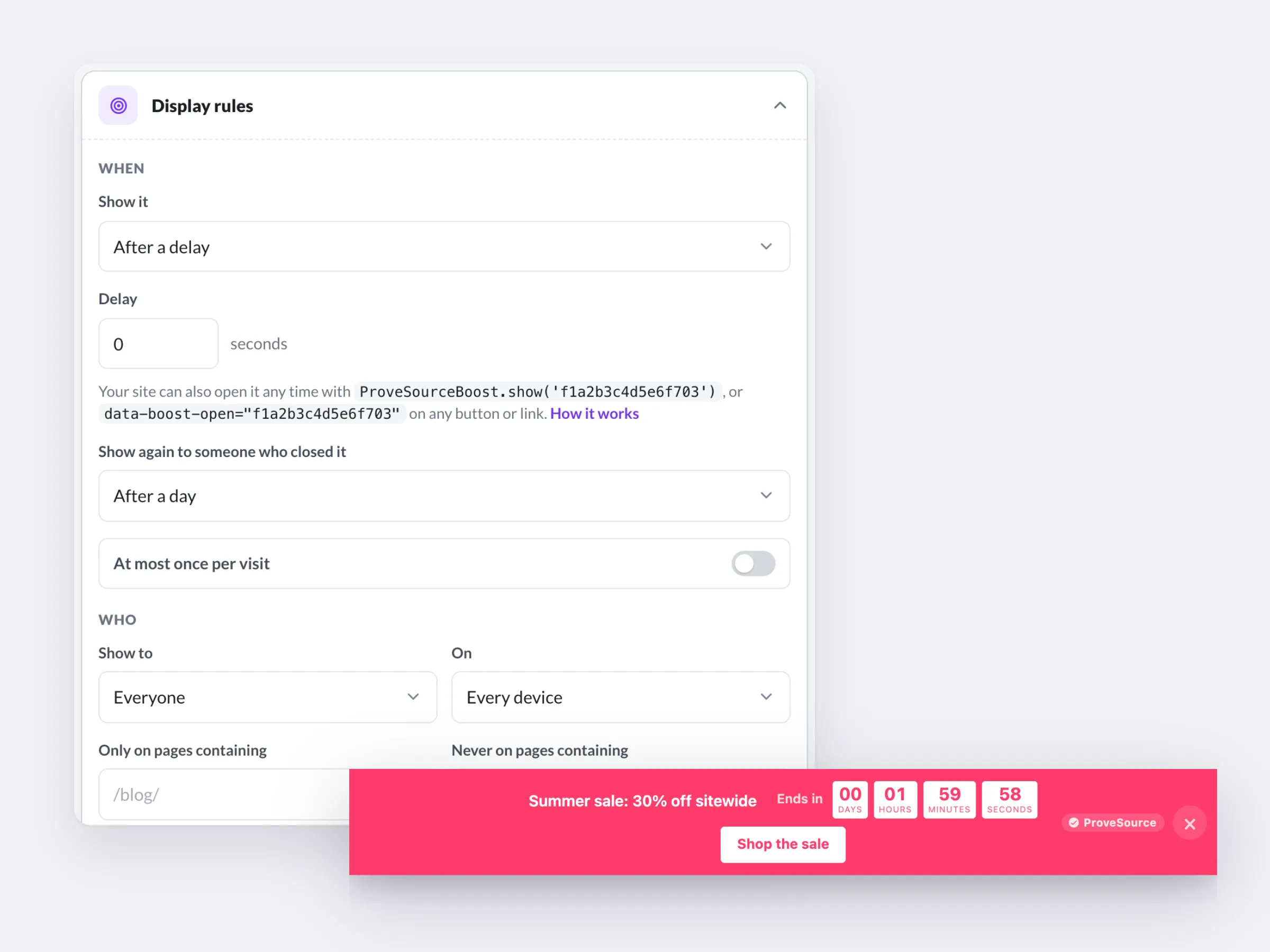
Shows Up Where and When You Want
Target the pages, devices and countries that matter, and give a sale bar its start and end dates.
- Top or bottom of the page
- Closable, and stays closed as long as you set
- Switches itself off when the sale ends
Free forever plan. No credit card.
The Most Seen Line on Your Site, Working Harder
Fixed date or evergreen. Urgency without a single line of code.
Views, clicks and click rate per bar, plus GA4 and Meta pixel events.
Update the message in your dashboard. The site updates on its own.
Works on Any Website
One line of code on any platform. On WordPress, the free plugin needs none.
 HTML / JavaScript
 Google Tag Manager
 Shopify
 WordPress
 Wix
Wix Squarespace
 Webflow
 Framer
Free Forever. Upgrade When You Grow.

Free
$0/forever- 3 widgets
- 1,000 views a month
- Every feature, unlimited leads
- 3 AI credits a month
- Small ProveSource badge

Pro
$24/month- Unlimited widgets and views
- No badge
- 30 AI credits a month
- Or $195 a year, 2 months free
Frequently Asked Questions
What is an announcement bar?
A slim strip across the top or bottom of every page with one message, like free shipping or a sale, and often a button. It is the one line every visitor sees.
Announcement bar or popup?
Use a bar to tell everyone something without interrupting them. Use a popup when you want something back, like an email: a bar has no form, a popup does.
Can the bar count down?
Yes. Count down to a fixed date, or use an evergreen timer that starts when each visitor arrives. When it ends, the bar shows a message you choose or hides itself.
Does it push my page down?
No. It sits over the page at the top or bottom, so it never breaks your layout.
Can visitors close it?
If you want. Closed bars stay closed for as long as you set. Or turn closing off to keep it on every page.
Can I show it only on some pages?
Yes. Target pages by URL, devices, new or returning visitors and countries, and set start and end dates so a sale bar switches itself off.
How do I add an announcement bar on Squarespace?
Paste the Boost tag into the header of Squarespace's Code Injection once. The bar shows on every page, and from then on you change it in your dashboard instead of the site editor.
Can the bar show how much is left for free shipping?
Yes. The free shipping bar reads the cart on Shopify, and on WooCommerce through the WordPress plugin, and tells each shopper how much more to spend to get free shipping.
Is it really free?
Yes. The free plan includes 3 widgets and 1,000 views a month with every feature and unlimited leads, and shows a small ProveSource badge. Pro is $24 a month or $195 a year for unlimited widgets and views, with no badge.
Do I need a developer?
No. You paste one line of code, the same on every platform. Your dashboard has step-by-step instructions for Shopify, WordPress, Wix, Squarespace, Webflow, Framer and Google Tag Manager.
Will it slow down my site?
No. The script loads asynchronously from a CDN after your page renders. Widgets draw in an isolated layer, so your theme's CSS can't break them and theirs can't touch your site.
Can I edit it after it's live?
Yes. The tag only carries your widget ID. Save a change in your free dashboard and your site shows it on the next page view. You never touch the code again.
Say It Once, on Every Page
Write the message, set the dates, and your bar is live on the next page view.
Get My Free BarFree forever plan. No credit card. Live in 2 minutes.
Show Who Is Taking the Offer
ProveSource shows live notifications of real purchases, so the deal in your bar looks like the one everyone is grabbing. Free to start, too.
See ProveSource Social ProofMore Free Conversion Widgets
See All Boost Widgets →- Popup GeneratorEmail, discount and exit-intent popups
- Spin to WinWheels, scratch cards and gift boxes
- Countdown TimerFixed-date or evergreen deadlines
- WhatsApp ButtonChat, call or book in one tap
- Black Friday KitBanners, popups and timers for the sale
- AI Widget BuilderQuizzes, calculators and forms from a description