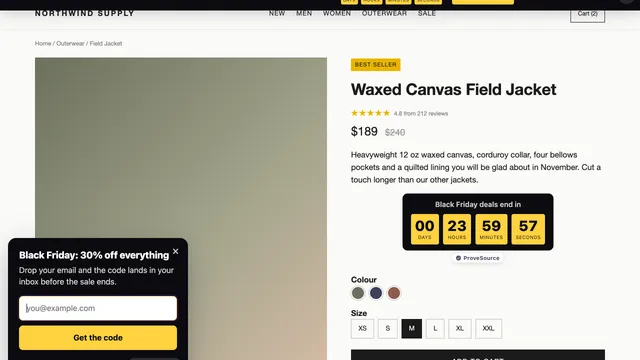
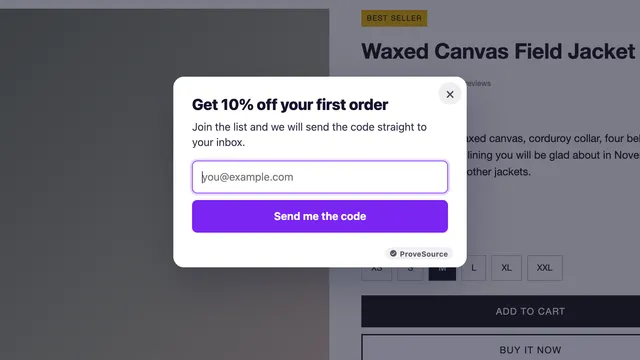
How Real-Time Social Proof Boosts Conversions


Real-time social proof builds trust and drives sales by showing live customer activity on your website. It leverages psychological triggers like FOMO (Fear of Missing Out) and the Bandwagon Effect to influence buying decisions. Here’s how it works:
- What It Does: Displays live visitor counts, recent purchases, and instant reviews.
- Why It Works: Reduces hesitation, builds confidence, and creates urgency.
- How to Use It: Add purchase alerts, stock updates, or live engagement stats near calls-to-action (CTAs).
Key Takeaways
- Psychological Triggers: Real-time social proof leverages FOMO and the Bandwagon Effect to reduce buyer hesitation.
- Proven Results: Implementing live activity notifications can increase conversion rates by 10-15%.
- Strategic Placement: Focus on high-intent areas like product pages and checkout to maximize impact.
- Core Metrics: Track conversion lift, bounce rates, and click-through rates to measure ROI.
- Authenticity Matters: Use verified data and balanced feedback to maintain long-term consumer trust.
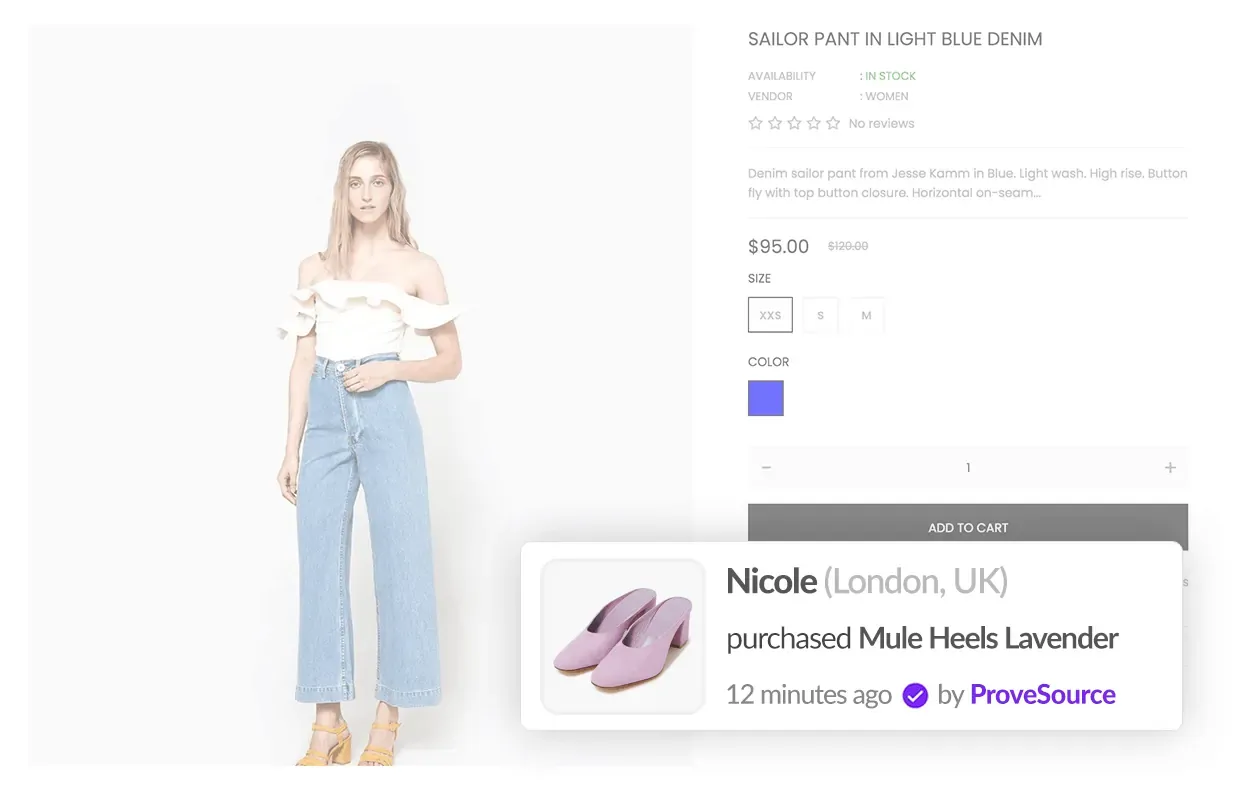
Key benefits
- Increases trust: People feel reassured when they see others engaging with your product.
- Boosts urgency: Limited stock updates or high activity prompts faster decisions.
- Improves conversions: Studies show social proof can increase sales by up to 10-15%.
Examples:
| Type | Example |
|---|---|
| Recent Purchases | “Sarah from Chicago just bought this!” |
| Live Visitor Counts | “200 people are viewing this product” |
| Stock Updates | “Only 2 items left at this price” |
Want a deeper dive? Explore our in‑depth Ultimate Guide to Social Proof Marketing for strategy, case studies, and step‑by‑step implementation tips.
Want a complete, store-wide blueprint? Grab our Shopify CRO handbook for benchmarks, page-by-page optimization tips, and a 30-day testing roadmap that multiplies the impact of live social-proof widgets.
Use real-time social proof to boost your conversions
Defining real-time social proof
Real-time social proof highlights live user actions and feedback on websites, giving visitors instant insight into customer activity. This approach helps build trust and encourages quicker decisions.
Examples of real-time social proof
Real-time social proof can take many forms, including:
| Type | Description | How It Works |
|---|---|---|
| Live Customer Activity | Shows recent purchases or immediate feedback from users | “Sarah from Chicago just bought this!” or live review updates |
| Activity Counters | Highlights current user engagement levels | “200 people are looking at this product right now” |
| Inventory Updates | Displays stock levels to create urgency | “Only 2 items left at this price” |
| Live Social Content | Shares real-time interactions like likes or comments | Live updates of social media activity |
Psychology behind social proof
Real-time social proof works because you use other people’s behavior as a shortcut for deciding what’s credible, popular, and worth acting on.
Real-time social proof taps into three key psychological principles:
- Bandwagon Effect: People are naturally inclined to follow others’ choices, like seeing a notification of someone buying the same product.
- Social Validation: Observing others interact with a product reassures potential buyers about their decision.
- FOMO (Fear of Missing Out): Updates on limited stock or high activity encourage quicker purchases to avoid missing an opportunity.
These psychological triggers can strongly influence buying behavior. By applying them effectively, businesses can boost conversions and build customer confidence.

Implementing real-time social proof
Once you understand the psychology behind real-time social proof, the next step is putting it into action to influence how visitors behave on your site.
Types of real-time social proof
Real-time social proof works best when placed strategically throughout the customer journey. Here’s a breakdown of common formats and how to use them:
| Format | Purpose | Example Use |
|---|---|---|
| Live Purchase Feeds | Showcase popularity | Displaying recent purchases (e.g., “Jane from NY bought this 5 min ago”) |
| Visitor Counts | Build credibility | Showing how many people are viewing the page/product now |
| Ratings and Reviews | Establish trust | Displaying real-time review updates or star ratings |
| Social Media Mentions | Highlight engagement | Showcasing live shares or mentions from customers |
Tools for social proof integration
Several platforms make it easy to add real-time social proof to your site. For example, tools like ProveSource let you display live purchase feeds with a single line of code. When you’re evaluating a solution, make sure it offers:
- No-code installation: A one-line script you can drop into your site’s header so you’re live in minutes.
- Flexible design controls: Colors, fonts, and animation options that match your brand.
- Precise display rules: Decide who sees what and when for maximum relevance.
- Built-in analytics: Track impressions, clicks, and conversion lift without leaving the dashboard.
- Native integrations: Connect easily with Shopify, WooCommerce, Zapier, and 100+ other tools.
Integrating social proof on websites
To get the most out of social proof, focus on where you place it and how it appears:
- Pin it to high-intent moments: Drop live notifications next to “Add to Cart” or sign-up buttons.
- Keep it mobile-friendly: Test on multiple screen sizes so badges never cover key content.
- Match your stack: Install a tool with native plugins for your specific CMS (Shopify, WordPress, etc.).
- Track and tweak: Monitor performance in your analytics dashboard and iterate based on data.
Strategies for effective real-time social proof

Tailoring social proof
Have you ever picked the busiest restaurant on the block because you assumed it must be the best? That same “follow the crowd” instinct is exactly what tailored social proof taps into on your website.
Customize social proof to align with your audience’s preferences and needs. For instance, display region-specific live sales or reviews that match the visitor’s location and demographics.
You can also tailor social proof based on where the customer is in their journey. For example, first-time visitors might see popularity metrics, while those browsing products could encounter detailed customer reviews and personal experiences.
Timing and placement
Where and when you show social proof can make all the difference. Here are some key areas to focus on:
| Location | Purpose | Best Practice |
|---|---|---|
| Product Pages | Build confidence | Highlight purchase notifications |
| Category/Listing Pages | Guide selection | Showcase live stats and recent social activity |
| Checkout | Reduce abandonment | Add trust signals and recent purchase alerts |
Instead of overwhelming visitors, introduce social proof strategically. For instance, display purchase notifications when someone is about to leave or highlight relevant reviews as they dive into product details.
Ensuring genuine testimonials
Real testimonials can reassure hesitant buyers and boost conversions. According to Econsultancy, product reviews are trusted 12x more than vendor claims [1]. To maintain authenticity:
- Verify Sources: Use platforms that confirm reviewer identities and purchase histories.
- Keep It Current: Regularly update testimonials to reflect fresh feedback.
- Add Context: Include details like purchase dates and customer locations.
- Show Balanced Feedback: Share both positive and constructive reviews to build trust.
Instead of relying on generic praise, aim for detailed and specific customer experiences. This approach helps establish credibility and fosters trust with potential buyers.proach helps establish credibility and fosters trust with potential buyers.
Tracking and improving social proof performance
Performance metrics
To gauge the impact of real-time social proof, track these core KPIs:
| Metric | What to track / why it matters |
|---|---|
| Conversion rate | Percentage of visitors completing desired actions; directly reflects the success of social proof. |
| Bounce rate | Visitors leaving without interaction; highlights engagement levels. |
| Session duration | Time spent on pages with social proof elements; indicates how relevant or engaging the content is. |
| Click-through rate | Interactions with social proof notifications; measures effectiveness of individual elements. |
| Sales lift | Revenue growth after implementation; shows the return on investment (ROI). |
Tools like Google Analytics can help you monitor user interactions with social proof so you can keep optimizing what you show and where you show it.
Testing for optimization
To get the most out of social proof, experiment with different strategies. Testing helps you identify which formats – like purchase alerts or customer reviews – work best for your audience.
Here’s a framework to guide your testing:
| Test Element | Variables to Consider | Impact Assessment |
|---|---|---|
| Placement | Above the fold, sidebar, or bottom of the page | Measure click-through rates or time spent on page |
| Timing | Immediate vs. delayed notifications | Track conversion changes or bounce rates |
| Frequency | High vs. low notification frequency | Monitor exit rates and user satisfaction |
| Message Type | Purchase alerts, visitor counts, or reviews | Analyze user reactions |
For example, testing urgency-driven notifications like “12 people bought this in the last hour” can reveal their effect on conversions [3]. To keep your social proof elements effective:
- Pinpoint areas that aren’t performing well
- Refresh outdated testimonials
- Tailor messaging to fit seasonal trends
- Customize approaches for specific audience segments
By using ProveSource, you gain access to built-in analytics that track the performance of your social proof notifications. These insights allow you to see which notifications drive the most clicks, boost conversions, or engage your audience effectively. With data on impressions, clicks, and conversion rates, you can refine your strategy in real-time to maximize the impact of your social proof efforts and continuously improve your website’s performance.

Conclusion on boosting conversions with real-time social proof
Real-time social proof helps build trust and increase conversions by showcasing live customer interactions and feedback. To make the most of it, businesses should focus on strategies like personalized messaging, smart placement, and tracking performance across their platforms.
Here’s how to get it right:
Smart Integration Incorporate real-time social proof naturally throughout your site. Use live notifications, reviews, or engagement metrics in ways that enhance the user experience without feeling intrusive.
Using Data to Improve Let performance metrics and user behavior guide your strategy. Track conversion rates, engagement, and sales to tweak placement, timing, and formats for better results.
Seamless Tools Platforms like ProveSource make it easier to manage and display reviews and recent sales, ensuring they appear smoothly across your website.
| Best Practice | Why It Works |
|---|---|
| Genuine Content | Builds trust and keeps it relatable |
| Smart Placement | Boosts visibility and interaction |
| Frequent Updates | Keeps your approach effective |
| Tracking Performance | Helps refine and improve results |
Real-time social proof is all about creating a sense of trust that leads potential customers to take action. When done well, it becomes a powerful tool for encouraging conversions and building confidence in your brand.
FAQ
What is social proof as it relates to growth and marketing?
Social proof is a growth lever because it reduces buyer hesitation by showing that real people are already choosing you.
- What it is: You use other people’s actions (purchases, sign-ups, reviews, activity) as a cue that something is trustworthy or popular.
- Why it works: It taps into social validation, the bandwagon effect, and FOMO—especially at high-intent moments like product pages and checkout.
- How it shows up online: Real-time notifications and reviews can increase conversions by 10-15% [2].
- Who it impacts most: Gen Z and Millennials, who account for 40% of retail sales [1].
If you want to put this into action quickly, tools like ProveSource let you display real customer activity (recent purchases, live visitors, and reviews) right on your site—so new visitors feel confident taking the next step.
What is a real-life example of real-time social proof?
Let’s say someone lands on your product page and sees a small pop-up that says: “Maria in New York just purchased this.” That single message signals your product is actively being bought right now, which builds trust and creates urgency to act.
How does real-time social proof boost conversions?
It boosts conversions by making your offer feel safer and more popular at the exact moment someone is deciding. When visitors see fresh purchases, active visitor counts, or recent reviews, it reduces doubt and can lift conversions by 10–15% [2].
Where should you place real-time social proof?
- Product pages: Near “Add to Cart” to reinforce confidence.
- Category/listing pages: To help shoppers choose faster.
- Checkout: To reduce abandonment with trust signals.
Make sure the design stays mobile-friendly so notifications never cover key content.
Will real-time social proof slow down my site?
Most modern social proof tools load asynchronously, so they don’t block your page from rendering. In practice, a lightweight script should have a negligible impact—especially if you keep designs simple and avoid showing too many notifications at once.proof can backfire. The key is to make it feel genuine and relevant, helping potential customers feel confident in their choices.