Best Social Proof Tools for 2026: 15 Platforms Compared on Price

In this article
- Quick picks
- What are social proof tools?
- Why social proof software boosts conversions
- Types of social proof notifications
- How to choose the best social proof platform
- 15 best social proof apps to increase conversions
- Social proof tool comparison table
- How to implement social proof for maximum results
- Common social proof mistakes to avoid
- Turn visitors into buyers with the right social proof tool
- FAQs about social proof tools
Social proof tools show new visitors what real customers are doing on your site: recent purchases, sign-ups, reviews and live visitor counts. The best social proof tool for most businesses is ProveSource: it pulls real activity from where it already happens (your store, forms, payments and review sites), works on any website, and its free plan includes every feature. Below we compare it with 14 alternatives on free plans, pricing and platforms, and every price was checked on each tool’s own pricing page on October 19, 2026.
Why it matters: 70.22% of online shopping carts are abandoned before checkout, and hesitation about whether a store can be trusted is one of the reasons. Seeing that other people bought today is the cheapest trust signal you can add.
Quick picks
| If you want | Pick | Why |
|---|---|---|
| The best social proof tool overall | ProveSource | Real data from 100+ integrations, on any website |
| A free plan you can grow on | ProveSource | Every feature free up to 1,000 visitors a month |
| Shopify or WooCommerce sales popups | ProveSource | Native order sync from the Shopify app and the WordPress plugin |
| SaaS, courses and lead generation | ProveSource | Sign-up and form notifications, plus totals like “214 sign-ups this week” |
| Proof that it pays for itself | ProveSource | Goals track the conversions each notification drives |
| Testimonials and review widgets | Shapo | Collects and displays testimonials (our sister product) |
What are social proof tools?
Social proof tools are software that shows customer activity on your website through small pop-ups and widgets. They pull real-time data from your store, CRM or forms, things like recent purchases, sign-ups, reviews and live visitor counts, and show it to new visitors as it happens.
When someone lands on your site and sees “Maria from Chicago just bought this”, they learn that real people are buying. That turns a quiet page into one that feels alive and trustworthy.
- Real-time activity: pop-ups for recent purchases, sign-ups or downloads.
- Reviews: star ratings from Google, Facebook or Trustpilot on your pages.
- Visitor signals: counters for how many people are viewing a page right now.
Why social proof software boosts conversions
People look to others when they decide. A busy restaurant feels safer than an empty one, and a store where people bought this morning feels safer than a silent one.
Visible activity also creates urgency. “Sarah from Austin just bought this” tells a hesitant shopper that the item is popular and might not wait for them. OptinMonster’s roundup reports that 60% of millennials have bought something reactively after experiencing FOMO, most within 24 hours. This is FOMO, the fear of missing out.
- Instant credibility: real people taking real action builds trust faster than marketing copy.
- Urgency: shoppers move faster when an item looks popular.
- Less hesitation: seeing others buy validates the decision at the moment of checkout.
Types of social proof notifications
The right type depends on the page and the action you want.
Recent sales popups
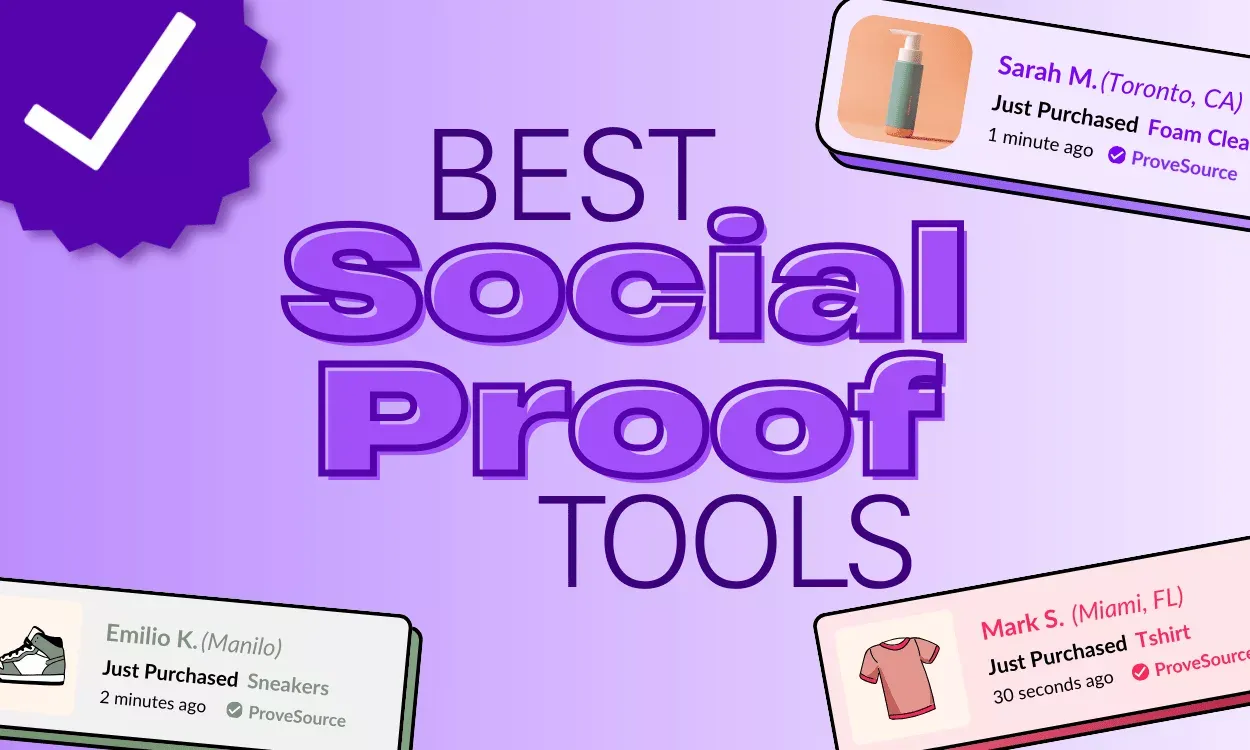
Recent sales popups show individual purchases, such as “John from Texas just bought the Pro Plan.” They work best on product pages, where the name, city and product make the notification feel specific and real.
Live visitor counters
Live visitor counters show how many people are viewing a page now, like “47 people are looking at this.” They suit limited-time offers and products with low stock. If you only want a simple counter, our free visitor counter is a good place to start.
Review and rating widgets
Review widgets pull star ratings and short snippets from Google, Facebook or Trustpilot. They help most on landing pages and product pages, since 57% of buyers only use businesses rated 4 stars or more. A 4.8 rating from 500 reviews says more than “customers love us.”
Signup and activity alerts
Signup alerts show recent form submissions, trial sign-ups or downloads. For SaaS and lead generation, “Mike just started a free trial” tells prospects that others are exploring the product.
Social media follower displays
Follower displays show your audience on Instagram, YouTube or Facebook. A “50K followers on Instagram” badge tells first-time visitors the brand has a real community.
Informational messages
Informational messages highlight announcements, shipping promises or guarantees. They answer a buyer’s concern near checkout, where hesitation is highest.
How to choose the best social proof platform
Five questions narrow the field quickly:
- Does it read your real data? A native integration with your platform (Shopify, WooCommerce, Stripe, your form tool) keeps notifications true without manual work. Avoid tools that invite you to type in invented orders.
- Is there a free plan, or only a trial? A free plan lets you measure results on your own traffic before paying. A 7 or 14-day trial is often too short to see a difference.
- What happens when you pass the limit? Some tools upgrade you automatically. Others pause notifications until next month.
- Can you match your design? Colours, fonts, position and timing should fit your site, or the notification reads as spam.
- Can you measure the impact? Built-in analytics or conversion goals tell you whether the tool is earning its price.
15 best social proof apps to increase conversions
Prices are monthly on monthly billing unless noted, from each tool’s pricing page on October 19, 2026.
1. ProveSource
ProveSource is an all-in-one social proof suite: Stream (recent actions), Combo (totals like “214 sign-ups this week”), Live Visitors, Reviews and Social Counter. It connects to Shopify, WooCommerce, Stripe and 100+ other platforms, so notifications show real activity, and goals measure the conversions they drive. You can see it on a live demo store before signing up.
- Pricing: free up to 1,000 monthly visitors with every feature. Paid from $29 a month ($24 billed yearly) for 20,000 visitors.
- Why it leads this list: real data instead of typed-in orders, one account for your store, checkout and marketing site, built-in conversion goals, and no automatic upgrades: over your limit, notifications pause for new visitors instead of moving you to a pricier plan. Any paid plan removes the small ProveSource badge.
2. Fomo
Fomo is one of the oldest social proof tools, now at usefomo.com, with strong ecommerce integrations and an API. It suits stores that are happy to pay from day one. See how it compares in our Fomo vs ProveSource comparison.
- Pricing: no free plan on its own site, only a 14-day trial (its Shopify app lists a free plan with 1,000 notifications). Paid from $25 a month for 8,000 notifications.
- Watch out for: automatic upgrades to the next tier are on by default when you go over.
3. TrustPulse
TrustPulse, from the makers of OptinMonster, is a simple tool built around WordPress, with Shopify, WooCommerce, BigCommerce and Squarespace support. Our TrustPulse comparison covers the differences.
- Pricing: free for new sites up to 500 sessions. Paid from $5 a month billed yearly, for one site and 1,500 visitors.
- Watch out for: yearly billing only, renewals at the full price, and branding removal only from the Pro plan.
4. Nudgify
Nudgify combines social proof with behavioural nudges such as low-stock and free-shipping messages. It suits stores that want urgency and scarcity messages in one place. See our Nudgify comparison.
- Pricing: free up to 1,000 impressions. Paid from $9 a month for 10,000 impressions on unlimited sites.
- Watch out for: nudges stop showing once you reach the impression limit.
5. UseProof
UseProof (Proof) offers Hot Streaks, Recent Activity and Live Visitor Count with A/B testing, aimed at SaaS and landing pages. See our UseProof comparison.
- Pricing: no free plan, a 14-day trial. Paid from $29 a month ($24 yearly) for 1,000 visitors.
- Watch out for: its site’s copyright line still reads 2021. Ask about support and roadmap before committing, and read what happened to UseProof.
6. WiserNotify
WiserNotify has many integrations (it says 200) and detailed targeting rules, for teams that want fine control. Our WiserNotify comparison has the details.
- Pricing: no free plan, a 7-day trial. From $59 a year for 5,000 visitors, or $16 a month for 10,000 visitors on monthly billing.
- Watch out for: the cheapest plan is yearly only, with limited templates.
7. SocialProofy
SocialProofy covers the core notification types on a small budget. See our SocialProofy comparison.
- Pricing: no free plan, a 14-day trial. Paid from $3 a month for 2,000 visitors on unlimited sites.
- Watch out for: fewer integrations and analytics than the larger tools.
8. NotificationX
NotificationX is a WordPress plugin that runs entirely on your own site. It suits sites that want everything inside WordPress, but it cannot cover a Shopify store, a Stripe checkout or a landing page builder; see our NotificationX comparison. For more WordPress options, with prices and free plan limits, see our social proof plugins for WordPress and WooCommerce comparison.
- Pricing: free plugin. Pro from $49 a year for one site (on sale at $37 when we checked).
- Watch out for: WordPress only, and analytics and cross-domain notifications are Pro features.
9. Taggstar
Taggstar, now part of Syndigo, is an enterprise platform with AI-driven messaging for large retailers. See our Taggstar comparison.
- Pricing: on request, through a demo.
- Watch out for: built for large catalogues and sales-led budgets, so it is overkill for a small store.
10. Provely
Provely offers simple urgency and scarcity pop-ups for landing pages and lead generation funnels. See our Provely comparison.
- Pricing: free up to 100 visitors on one domain. Paid from $19 a month ($16 yearly) for 10,000 visitors.
- Watch out for: branding removal only on the $79 Scale plan, and the site’s copyright line reads 2022.
11. Proof Factor
Proof Factor, now branded OneStore, combines social proof with email capture pop-ups on Shopify. See our Proof Factor comparison.
- Pricing: free up to 50 active customers and 2 campaigns. Paid from $9 a month.
- Watch out for: Shopify only, billed by active customers through Shopify.
12. Loox
Loox is a photo review app for Shopify that shows customer pictures as social proof. It collects reviews rather than showing live activity, so stores often run it beside a sales notification tool.
- Pricing: free plan on the Shopify App Store. Paid from $49.99 a month.
- Watch out for: Shopify only, and higher plans are priced by order volume.
13. Trustmary
Trustmary collects and displays video and text testimonials, which suits service and B2B companies where long testimonials build trust.
- Pricing: free Solo plan with 5 survey responses and 200 widget views. Paid plans from $229 a month ($191 yearly).
- Watch out for: the paid tiers are expensive for a small business, and white-label is an add-on.
14. Evidence
Evidence shows real-time notifications aimed at SaaS and high-ticket offers, with integrations for Zapier, WordPress, Shopify, LeadPages and ClickFunnels.
- Pricing: no free plan, a 14-day trial that needs a card. Paid from $40 a month for 5,000 visits on unlimited domains.
- Watch out for: the “Verified by Evidence” badge can only be removed on the $250 Scale plan.
15. Shapo
Shapo collects and displays testimonials and reviews, with widgets for Google, Trustpilot and 30+ other sources. Shapo is our sister product, so weigh this pick with that in mind.
- Pricing: free up to 15 testimonials. Pro is $29 a month.
- Watch out for: it is a testimonial and review tool, not a live sales notification tool. Many sites use it alongside one.
Social proof tool comparison table
| Tool | Best for | Free plan | Paid from | Platforms |
|---|---|---|---|---|
| ProveSource | Stores, SaaS, courses, funnels | 1,000 visitors, all features | $29/mo ($24 yearly) | Any site, 100+ integrations |
| Fomo | Mature ecommerce stacks | Trial only (free on Shopify) | $25/mo | Any site, Shopify, WooCommerce |
| TrustPulse | WordPress beginners | 500 sessions | $5/mo, yearly | WordPress, Shopify, Squarespace |
| Nudgify | Urgency and scarcity | 1,000 impressions | $9/mo | Most ecommerce platforms |
| UseProof | SaaS landing pages | Trial only | $29/mo ($24 yearly) | Any site |
| WiserNotify | Advanced targeting | Trial only | $59/yr or $16/mo | Any site, 200 integrations |
| SocialProofy | Tight budgets | Trial only | $3/mo | Any site |
| NotificationX | WordPress, no external service | Free plugin | $49/yr, 1 site | WordPress |
| Taggstar | Enterprise retail | No | On request | Enterprise |
| Provely | Lead gen funnels | 100 visitors | $19/mo | Any site |
| Proof Factor | Shopify email capture | 50 active customers | $9/mo | Shopify |
| Loox | Photo reviews | Yes, on Shopify | $49.99/mo | Shopify |
| Trustmary | Service and B2B testimonials | 200 widget views | $229/mo | Any site |
| Evidence | SaaS, high-ticket | Trial only (card needed) | $40/mo | Any site |
| Shapo | Testimonials and review widgets | 15 testimonials | $29/mo | Any site |
Prices and limits from each tool’s pricing page on October 19, 2026. They change often, so check the page before you buy.
How to implement social proof for maximum results
Installing a tool takes minutes. Getting results takes a little more care.
- Start on high-intent pages. Product, pricing and checkout pages are where visitors decide, so trust signals have the most effect there.
- Match the notification to the page. Recent sales on product pages, reviews on landing pages, live visitor counts on busy pages.
- Set timing and frequency rules. Leave a gap between notifications and cap how many show per visit.
- Test placement and design. Bottom-left against bottom-right, or a different colour, can change click-through, so do not assume the first setup is best.
- Measure and adjust. Track clicks and conversions in the tool’s analytics, change one thing, then measure again.
Tip: start with one notification type, measure it for a few weeks, then add the next. That way you know which one is working.
Common social proof mistakes to avoid
- Too many notifications at once. One well-timed notification beats five annoying ones.
- Fake or vague notifications. “Someone purchased something” convinces nobody, and invented orders can break consumer protection rules. Show real names (or first names), cities and products.
- Ignoring mobile. A notification that covers the add-to-cart button on a phone costs sales. Test on your own phone before going live.
- Not measuring. Without conversion data you cannot tell whether the tool is paying for itself.
Turn visitors into buyers with the right social proof tool
Social proof software is one of the fastest ways to build trust on a website. The tool you pick should show real activity from your platform, fit your budget at your traffic, and let you measure the result. ProveSource does all three, and its free plan includes every feature, so you can add it to your highest-traffic page today and see the effect on your own numbers before you pay anything.
FAQs about social proof tools
What is the best social proof software?
ProveSource. It shows real activity from Shopify, WooCommerce, Stripe and 100+ other integrations, works on any website, measures the conversions its notifications drive, and its free plan includes every feature up to 1,000 visitors a month.
Is there a free social proof app?
Yes. ProveSource is free up to 1,000 monthly visitors with every feature included, so you can measure results on your own traffic before paying. Many other tools, including Fomo, UseProof, WiserNotify, SocialProofy and Evidence, offer only a short trial.
How much does social proof software cost?
Paid plans start at $3 to $9 a month for a few thousand visitors (SocialProofy, TrustPulse billed yearly, Nudgify) and run to $25 to $40 a month for mid-size sites (Fomo, ProveSource, Evidence). Enterprise tools like Taggstar quote on request. Prices checked October 19, 2026.
Do social proof tools slow down website loading speed?
Most load their script asynchronously, after your page renders, so they do not block it. Check that the tool loads from a CDN and that you can limit it to the pages where it matters.
Are social proof notifications compliant with GDPR?
Reputable platforms can anonymize names, show first names and cities only, or hide personal details entirely. Use those settings and mention the tool in your privacy policy.
Are fake social proof notifications legal?
Showing invented purchases or visitors misleads customers, and in the US the FTC treats invented activity as deceptive. Use a tool that shows real activity from your store, forms or reviews.
What if my website has low traffic or few recent sales?
Use aggregated notifications such as “214 people signed up this week” instead of one-by-one alerts. They count real activity over a longer window, so a smaller site still has something true to show. ProveSource’s Combo notification does exactly this.