Shopify Conversion Handbook 2026: The Definitive Guide

In this article
- The state of Shopify conversions (benchmarks & revenue impact)
- Must-have apps to boost Shopify conversions
- App vs. effect
- Page-by-page optimization to turn browsers into buyers
- Use psychological drivers to boost conversions
- 5 quick A/B tests to run this month
- Case study: TimberIN lifts conversions with social proof
- Implementation timeline & resource links
- Frequently asked questions
- Install ProveSource on Shopify in 2 clicks
You’ve built your Shopify store. You’ve sourced great products. Traffic is starting to flow, maybe even steadily climbing. But are those visitors turning into customers? If you’re nodding along, feeling the familiar pang of “almost,” you’re in the right place.
Key Takeaways
- Benchmark for Success: Aim to move past the average Shopify conversion rate of 1.5%–2.5% toward the 3%+ top-performer bracket.
- The 1% Impact: Increasing your conversion rate by just 1 percentage point can result in six-figure annual revenue growth without increasing ad spend.
- Essential Tech Stack: Leverage real-time social proof (ProveSource), automated reviews (Judge.me/Loox), and abandoned cart recovery (Klaviyo).
- Frictionless Checkout: Use accelerated payment buttons (Shop Pay, Apple Pay) to minimize the steps required to complete a purchase.
- Psychological Triggers: Implement ethical FOMO and scarcity to encourage immediate action from hesitant browsers.
Getting traffic is only half the battle. The real magic happens when you optimize your store to persuade visitors to take action – to add to cart, to checkout, to become loyal customers. This process is called Conversion Rate Optimization (CRO), and it’s arguably the highest-leverage activity you can focus on for sustainable growth.
Many Shopify merchants hit a plateau, often hovering around the average conversion rate and wondering how top stores achieve significantly better results. The truth? It’s not usually one giant leap, but a series of strategic improvements, smart app integrations, and a deep understanding of customer psychology.
In this comprehensive handbook, we’ll dissect the anatomy of a high-converting Shopify store in 2025. We’ll cover:
- The current state of Shopify conversions: Benchmarks and the real revenue impact of even small improvements.
- Must-have apps: The essential toolkit for enhancing trust, capturing leads, and driving sales.
- Page-by-page optimization: Tactical tweaks for your product, cart, and checkout pages.
- Psychological drivers: Leveraging FOMO, scarcity, and authority to encourage action.
- Actionable A/B tests: Quick wins you can implement this month.
- Inspiring case studies: Real-world examples of significant conversion lifts.
- Implementation roadmap: A timeline and resources to get you started.
Whether you’re just starting or looking to break through that stubborn conversion ceiling, this handbook provides the strategies and tools you need. Let’s dive in and transform your Shopify store into a conversion machine.
The state of Shopify conversions (benchmarks & revenue impact)
A typical Shopify store converts about 1.5%–2.5% of visitors into buyers, while top performers consistently push past 3%. Before we optimize, let’s understand the landscape. What is a “good” conversion rate on Shopify?
While numbers vary wildly by industry, niche, traffic source, and price point, general benchmarks provide a useful starting point. As of late 2024 / early 2025, studies and platform data often place the average Shopify conversion rate between 1.5% and 2.5%.
However, “average” isn’t the goal. Top-performing stores often achieve rates significantly higher – 3%, 4%, 5%, and even into the double digits in some highly optimized niches or during peak seasons. The meta description mentioned crushing the “3% conversion barrier” for a reason – surpassing this mark often signifies moving from average to above-average performance.
Why Does a Small Lift Matter So Much? The Revenue Impact.
A 1-percentage-point increase might sound small, but its impact on your bottom line can be enormous. Let’s illustrate with a simple example.
Consider a store with:
- Monthly Visitors: 20,000
- Average Order Value (AOV): $75
Scenario 1: Average Conversion Rate (1.8%)
- Conversions: 20,000 × 0.018 = 360
- Monthly Revenue: 360 × $75 = $27,000
Scenario 2: Improved Conversion Rate (2.8%) – Just a 1-point lift!
- Conversions: 20,000 × 0.028 = 560
- Monthly Revenue: 560 × $75 = $42,000
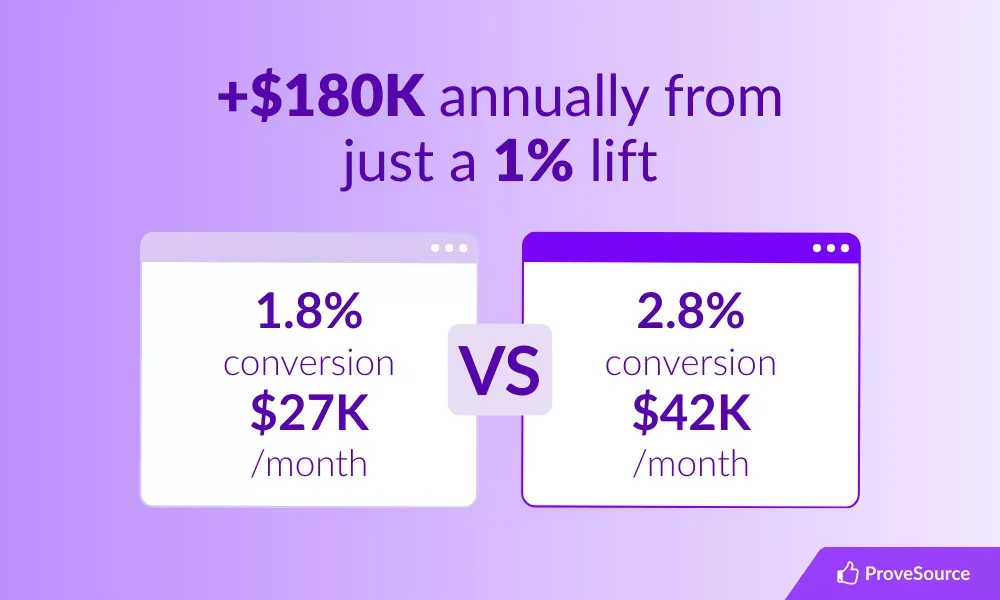
The Difference: That single percentage point increase translates to an extra $15,000 in monthly revenue, or $180,000 annually, without spending a single extra dollar on acquiring new traffic.
This is the power of CRO. It maximizes the value of the traffic you already have. Now, let’s look at the tools that help make this happen.
Revenue Reality Check
Raising your Shopify conversion rate by just 1 percentage point can add thousands in monthly revenue. If you’re ready to turn that math into action, explore our 12 Easy Ways to Drive Shopify Sales for quick wins you can implement this week.
Must-have apps to boost Shopify conversions
Shopify’s core platform is powerful, and its CRO capabilities can be significantly enhanced through strategic app integrations – a proven approach for many successful stores. These apps add crucial functionality focused on building trust, creating urgency, and streamlining the path to purchase. Here are some essentials for 2025:
Social proof with ProveSource
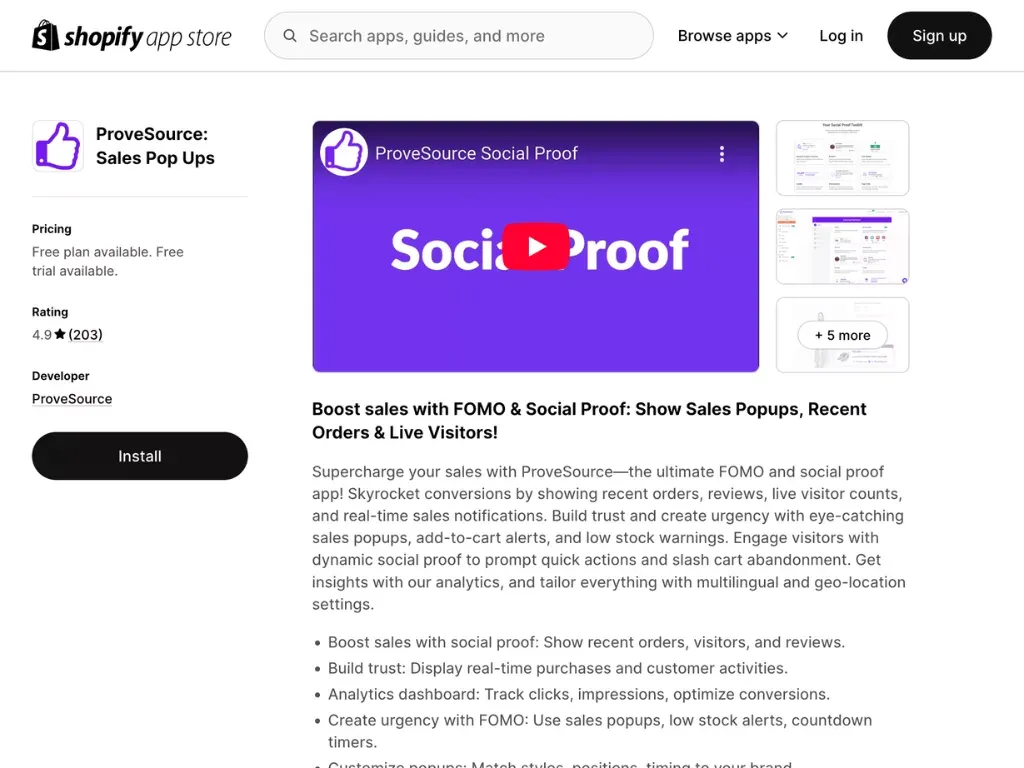
What it does: Builds trust and creates FOMO (Fear of Missing Out) by displaying real-time notifications of visitor actions like recent purchases, page views, or sign-ups.
Why it works: When potential customers see that others are actively engaging with and buying from your store, it validates their interest and reduces hesitation. It leverages the psychological principle of “social proof” – we are more likely to do something if we see others doing it.
Key Features for CRO:
- Recent Sales Notifications: “Jane Doe from California just bought Product X.”
- Live Visitor Count: “15 people are viewing this page right now.”
- Aggregate Purchase Count: “Over 500 customers bought this item this month.”
- Customization: Match the look and feel of your brand.
- Targeting Rules: Show specific notifications on relevant pages.
ProveSource stands out for its ease of use, clean design, and effectiveness. It offers various notification types and robust customization options.ectiveness. It offers various notification types and robust customization options.


- Free Plan: ProveSource offers a generous free plan for stores with up to 1,000 unique monthly visitors, making it accessible for businesses of all sizes to start leveraging social proof immediately.
- Learn More: ProveSource Shopify App
Reviews: Dedicated Review Apps
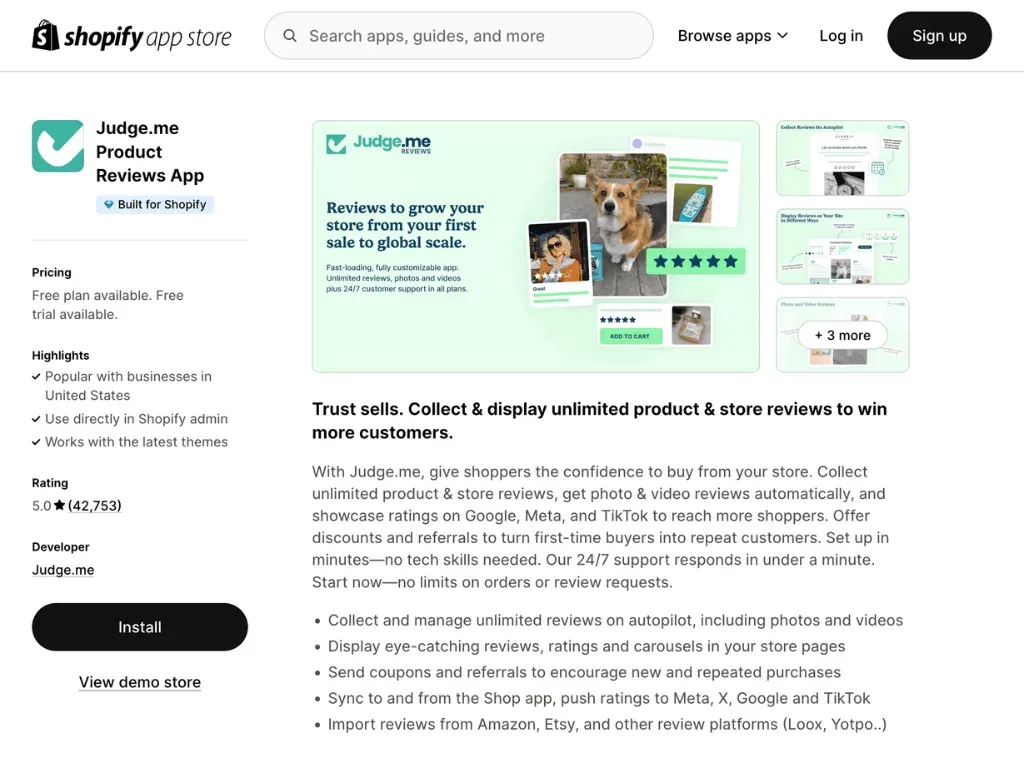
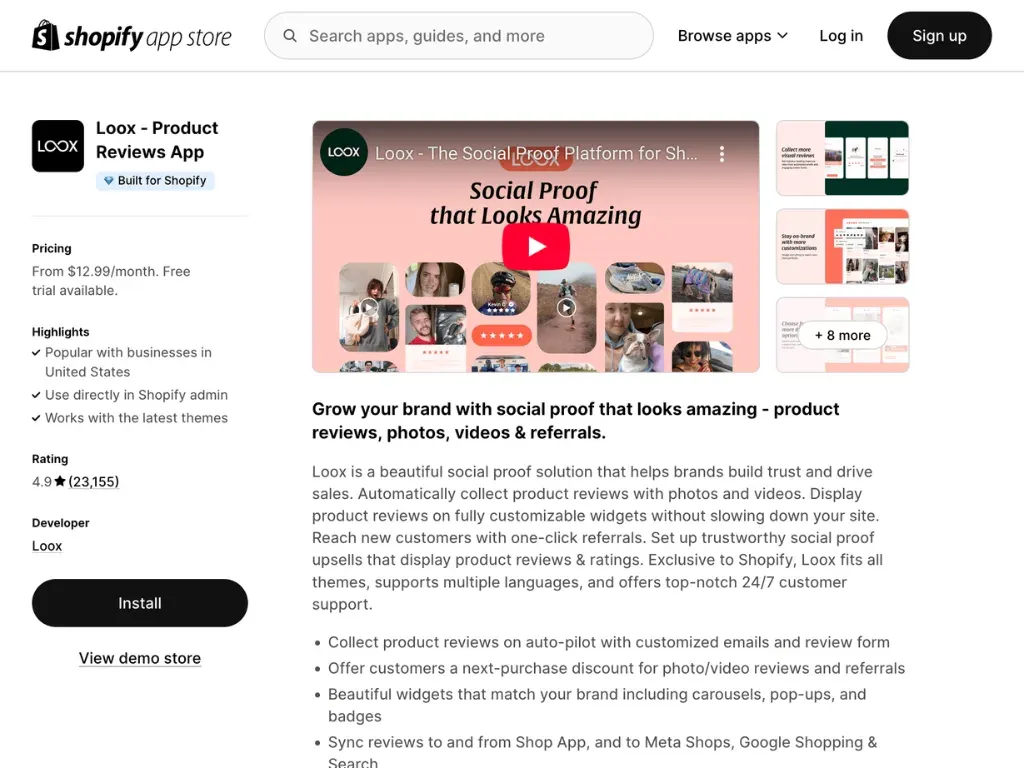
What they do: Collect and display product reviews—often including customer photos or videos—so shoppers can see real-world proof before buying.
Why they work: Reviews are a cornerstone of modern e-commerce trust. Buyers rely heavily on the experiences of previous customers to gauge product quality, fit, and overall satisfaction. Photo and video reviews are particularly powerful, offering authentic visual confirmation.
Key Features for CRO:
- Automated Review Requests: Email customers post-purchase asking for reviews.
- Photo/Video Reviews: Allow customers to upload visual proof.
- On-Site Display Widgets: Showcase star ratings and review snippets on product pages, collection pages, and even the homepage.
- Rich Snippets: Improve SEO by showing star ratings directly in Google search results.
- Q&A Features: Allow potential customers to ask questions answered by past buyers or the merchant.
What to look for in a review app:
- Automated post-purchase review request emails (with flexible timing).
- Support for photo/video reviews to showcase real-world proof.
- On-site widgets for product, collection, and homepage placement.
- SEO-rich snippets to display star ratings in search results.
- Moderation, filtering, and spam controls to keep reviews trustworthy.
Choosing Between Them:
- Judge.me: Known for its feature-rich free plan, extensive customization, and wide range of widget types. Excellent all-around review solution.
- Loox: Primarily focused on visual reviews (photos/videos), offering beautiful galleries and a strong emphasis on user-generated visual content. Often preferred by apparel and visual product brands.
Both are excellent choices for building trust and providing the user-generated content that drives conversions.
Email capture & marketing with Klaviyo popups and flows
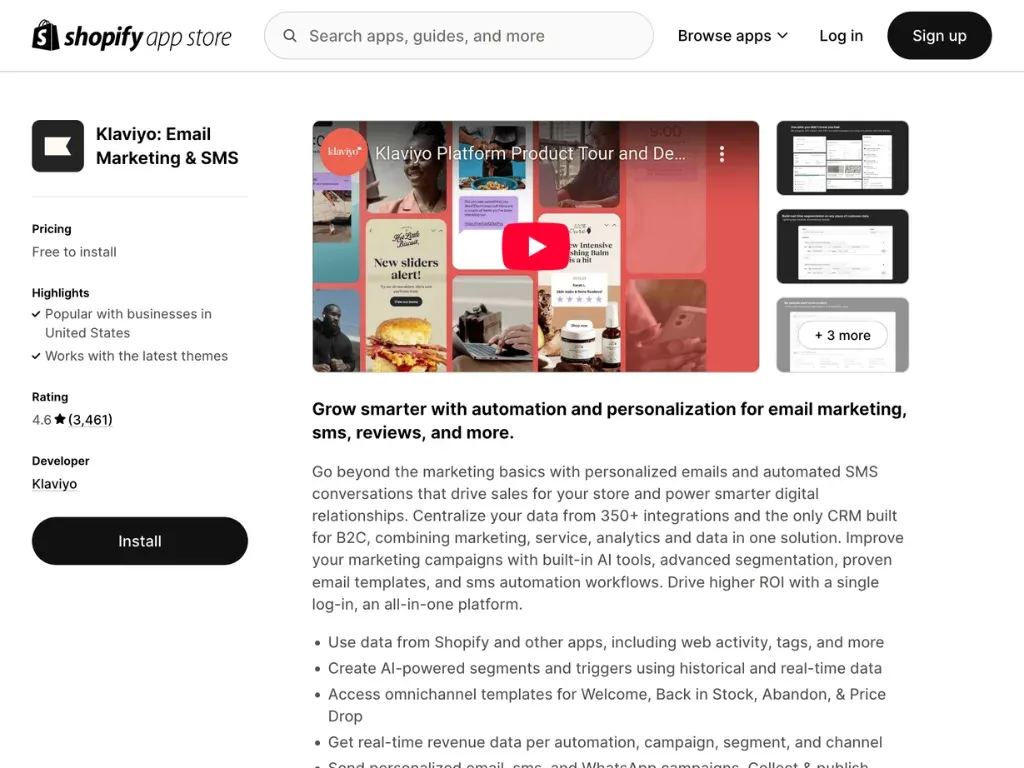
What it does: Captures email addresses (and potentially phone numbers for SMS) via Web Forms, then enables sophisticated email and SMS marketing automation.
Why it works: Not every visitor buys on their first visit. Building an email list allows you to nurture leads, recover abandoned carts, announce promotions, and build long-term customer relationships, leading to repeat purchases and higher lifetime value. Popups, when implemented thoughtfully, are highly effective at capturing these leads.
Key Features for CRO:
- Targeted Popups: Trigger popups based on behavior (e.g., exit-intent, time on site, scroll depth) or visitor segment.
- Compelling Offers: Offer a discount, free shipping, or valuable content in exchange for an email sign-up.
- Segmentation: Group subscribers based on purchase history, browsing behavior, demographics, etc.
- Automated Flows:Welcome Series: Nurture new subscribers.Abandoned Cart Recovery: Send timed reminders with product images and incentives to complete checkout (a massive CRO lever).Browse Abandonment: Target users who viewed products but didn’t add to cart.Post-Purchase Follow-ups: Encourage reviews, cross-sell related products.
- A/B Testing: Optimize popup designs, offers, and email content.
Klaviyo is a market leader in e-commerce email and SMS marketing, known for its deep Shopify integration and powerful segmentation/automation capabilities. Its popup builder is flexible and effective for lead generation. capabilities. Its popup builder is flexible and effective for lead generation.
App vs. effect
| App Category | Recommended App(s) | Key Mechanism | Conversion Effect |
|---|---|---|---|
| Social Proof | ProveSource | Real-time activity notifications | Increases Trust & Urgency |
| Reviews | Judge.me / Loox | Customer UGC (Photos/Videos) | Validates Product Quality |
| Email/SMS | Klaviyo | Abandoned cart flows | Recovers Lost Sales |
| Upsell | ReConvert / Zipify | Post-purchase offers | Increases AOV |
Page-by-page optimization to turn browsers into buyers
CRO isn’t just about apps; it’s about optimizing the user experience at every stage of the funnel. Let’s walk through key pages and specific tweaks:
Product page perfection
This is where the purchase decision often solidifies. Your goal: provide all necessary information clearly and persuasively, making the “Add to Cart” click irresistible.
Essential Elements:
- High-quality visuals: Multiple high-resolution product photos from various angles, lifestyle shots, and increasingly, product videos.
- Compelling product descriptions: Focus on benefits, not just features. Use clear, concise language. Employ bullet points for scannability. Tell a story.
- Clear pricing & variants: Display the price prominently. Make selecting sizes, colors, etc., intuitive. Show variant images if possible.
- Obvious call-to-action (CTA): A large, contrasting “Add to Cart” button that stands out.
- Trust signals: Shipping information (estimated delivery), return policy summary, secure payment icons.
- Reviews: Display star ratings and review snippets prominently (using Judge.me/Loox).
CRO Tweak: Add Social Proof Badges/Notifications
- Integrate ProveSource to show notifications like “12 people bought this in the last 24 hours” or “Sarah from New York just purchased this item.”
- Display Judge.me/Loox star ratings directly below the product title.
- Consider adding badges like “Best Seller” or “Limited Stock” (use scarcity ethically).
Cart page confidence
The cart page (or slide-out cart) is a crucial transition. The user has shown intent. Your job is to reinforce their decision and remove friction before checkout.
Essential Elements:
- Clear Order Summary: Product images, names, variants, quantities, and prices clearly listed.
- Easy Editing: Allow users to easily update quantities or remove items.
- Transparency: Show estimated shipping costs and taxes early (or provide a calculator). Avoid surprises at checkout.
- Continue Shopping Option: Don’t make it a dead end.
- Prominent Checkout CTA: A clear, unmissable button to proceed.
CRO Tweak: Add Security & Trust Seals
- Display logos of accepted payment methods (Visa, Mastercard, PayPal, Shop Pay etc.).
- Include security badges (SSL certificate lock, McAfee Secure, Norton Secured). These visually reassure customers that their payment information is safe.
- Briefly reiterate key value propositions like “Free Shipping Over $X” or “Easy 30-Day Returns” near the checkout button.
Reduce friction in the checkout flow
The checkout process is the last challenge to overcome. Abandonment rates can be notoriously high here, often exceeding 60-70%. It’s crucial to prioritize speed, simplicity, and trust.
Fortunately, Shopify continually invests significantly in enhancing its native checkout experience. By utilizing data from millions of transactions, it fine-tunes the flow for optimal conversion. Your role is to make sure you’re taking advantage of its strengths while eliminating any extra friction points unique to your store setup.
Essential Elements:
- Minimize Form Fields: Only ask for essential information. Trust that Shopify’s default fields are already highly optimized, and avoid adding unnecessary custom fields unless absolutely critical.
- Guest Checkout Option: Don’t force account creation (though offer it as an option). Shopify makes guest checkout seamless.
- Progress Indicator: Show users where they are in the process (e.g., Shipping > Billing > Payment). This is standard in Shopify’s checkout.
- Multiple Payment Options: Offer standard credit cards, PayPal, and accelerated options.
- Clear Order Summary & Editing: Allow a final review before payment.
- Mobile Optimization: Shopify’s checkout is inherently mobile-first, but ensure any customizations you’ve made don’t interfere with this.
CRO Tweak: Implement Accelerated Payment Buttons
- Enable Shop Pay, PayPal Express Checkout, Apple Pay, Google Pay.
- These buttons allow returning customers (or those logged into these services) to check out in seconds using saved information, drastically reducing friction.
🚀 Quick-Hit Growth Hacks
Need bite-sized tweaks you can apply across every page—without drowning in tasks? Check out 5 Little-Known Hacks for Busy Shopify Store Owners and start shaving friction (and adding sales) in under an hour.
Use psychological drivers to boost conversions
Beyond page structure and apps, understanding why people buy is key. Tapping into psychological triggers can significantly influence purchasing decisions.
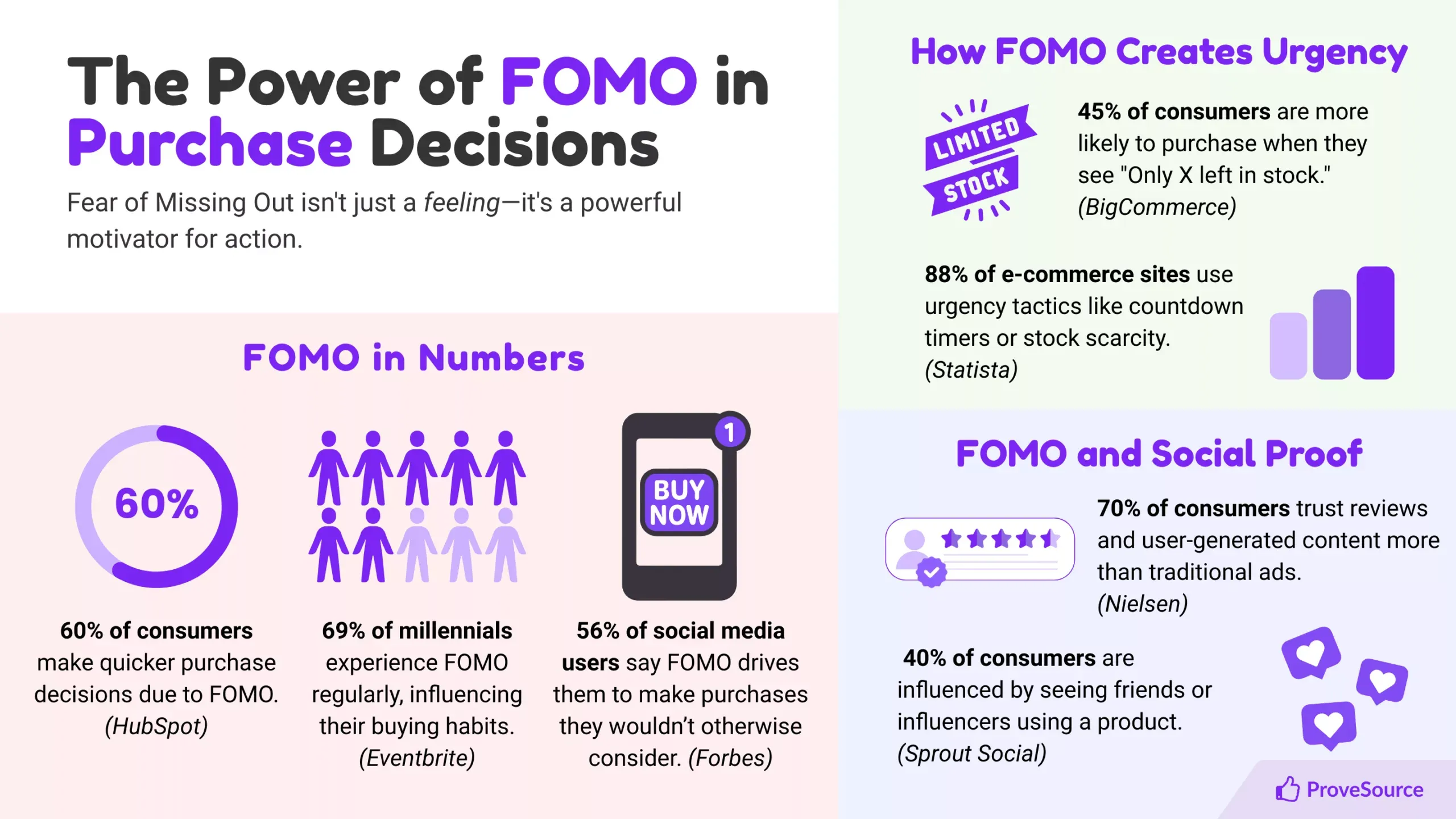
FOMO (Fear of Missing Out)
FOMO (fear of missing out)
Humans are wired to avoid missing out on opportunities or positive experiences others are having.
How to use it:
- Limited-Time Offers: Sales or promotions with clear end dates (“Flash Sale Ends Tonight!”). Use countdown timers.
- Real-Time Activity: Show notifications of recent purchases or high viewing activity on products (via ProveSource). “25 people are looking at this right now!”
- Exclusive Access: Offer early access or special deals to email subscribers.
🚀 See It in Action
Real-time pop-ups can lift conversions in minutes. Dive into the data in Real-Time Social Proof Boosts Conversions and learn how to set them up on Shopify.
Scarcity
Related to FOMO, scarcity implies limited availability, increasing perceived value and urgency.
How to use it:
- Low Stock Indicators: “Only 3 left in stock!” (Ensure this is accurate).
- Limited Edition Products: Items available only for a short run.
- Countdown Timers: For deals or expiring cart items. OptinMonster is another tool that offers features like countdown timers within popups or announcement bars, effectively leveraging scarcity.
- Purchase Deadlines: “Order by 2 PM for same-day shipping.”
Need inspiration? Browse Social Proof Examples That Boost Conversions for real-world authority cues you can copy.
Authority & social proof (revisited)
People trust experts and the wisdom of the crowd.
How to use it:
- Customer Reviews & Testimonials: As discussed (Judge.me/Loox), this is paramount. Feature glowing reviews prominently.
- Expert Endorsements: If applicable, showcase endorsements from industry figures or publications.
- Trust Badges: Security seals, payment provider logos, industry certifications.
- User-Generated Content (UGC): Encourage customers to share photos using your product on social media, then showcase this content on your site.
Using these triggers ethically and authentically builds trust and encourages visitors to take the desired action.
Want to keep your urgency tactics ethical? See our Leveraging FOMO and Social Proof Ethically guide for best-practice dos and don’ts.
5 quick A/B tests to run this month
CRO is an ongoing process of hypothesis, testing, and iteration. Don’t try to change everything at once. Start with simple A/B tests (showing two versions of a page element to different segments of traffic to see which performs better). Here are five ideas:
- Test 1: Product Page CTA Button
- **Hypothesis:**Changing the button text or color will increase Add-to-Carts.
- Test: Version A: “Add to Cart” (Standard) vs. Version B: “Buy Now” or “Add to Bag”. Test a contrasting color (e.g., Green vs. Orange).
- Metric: Add-to-Cart rate.
- Test 2: Homepage Headline
- Hypothesis: A benefit-driven headline will resonate more than a feature-driven one.
- Test: Version A: “Durable Widgets Made from Titanium” vs. Version B: “Widgets Built to Last a Lifetime, Guaranteed.”
- Metric: Bounce rate, time on page, click-through rate to product pages.
- Test 3: Social Proof Notification Placement (ProveSource)
- Hypothesis: Placing notifications closer to the CTA will increase conversions.
- Test: Version A: Notifications in the bottom-left corner (default) vs. Version B: Notifications appearing closer to the “Add to Cart” button (requires custom setup or checking app options).
- Metric: Product page conversion rate.
- Test 4: Email Popup Offer (Klaviyo)
- Hypothesis: A percentage discount is more appealing than a fixed dollar amount (or vice-versa).
- Test: Version A: “Get 10% Off Your First Order” vs. Version B: “Get $10 Off Your First Order”.
- Metric: Popup submission rate.
- Test 5: Cart Page Trust Seals
- Hypothesis: Adding prominent security seals increases checkout initiation.
- Test: Version A: Cart page without specific trust seals vs. Version B: Cart page with clearly visible security/payment logos near the checkout button.
- Metric: Checkout initiation rate (clicks on the checkout button).
Use Shopify’s built-in analytics, Google Analytics, or dedicated A/B testing tools (like VWO, Optimizely, or features within some Shopify apps like Shogun) to run and measure these tests accurately.
Case study: TimberIN lifts conversions with social proof
Results speak volumes. Here’s how TimberIN, a European hot tub and sauna manufacturer, used social proof to increase sales.
Meet TimberIN: Led by Dr. Albertas Klovas, TimberIN offers high-quality outdoor wellness products across Europe. They had a strong product line and online presence but struggled to convey their credibility effectively to new site visitors.
The Challenge: Despite market demand, TimberIN needed to better showcase their brand’s activity and customer satisfaction online. An initial attempt with a competitor tool faced technical issues.
The Solution: TimberIN implemented ProveSource for its ease of integration and support. They configured it to display:
- Recent Sales Notifications
- Customer Reviews
- Social Media Presence
The Results: After implementing ProveSource:
- TimberIN saw a significant sales increase of approximately 6-8%.
- Dr. Klovas praised ProveSource for its simplicity, design, and smooth integration.
The Impact:
An 8% conversion uplift in the high-value outdoor wellness market directly translates to more qualified leads and sales, demonstrating the power of leveraging existing traffic more effectively by building trust.
Key Takeaway: Visible social proof addresses visitor uncertainty and demonstrates brand activity. Tools like ProveSource help showcase real-time purchases and satisfaction, leading to measurable improvements in conversion rates and sales.
Read the full story:ProveSource Case Study – TimberIN
Implementation timeline & resource links
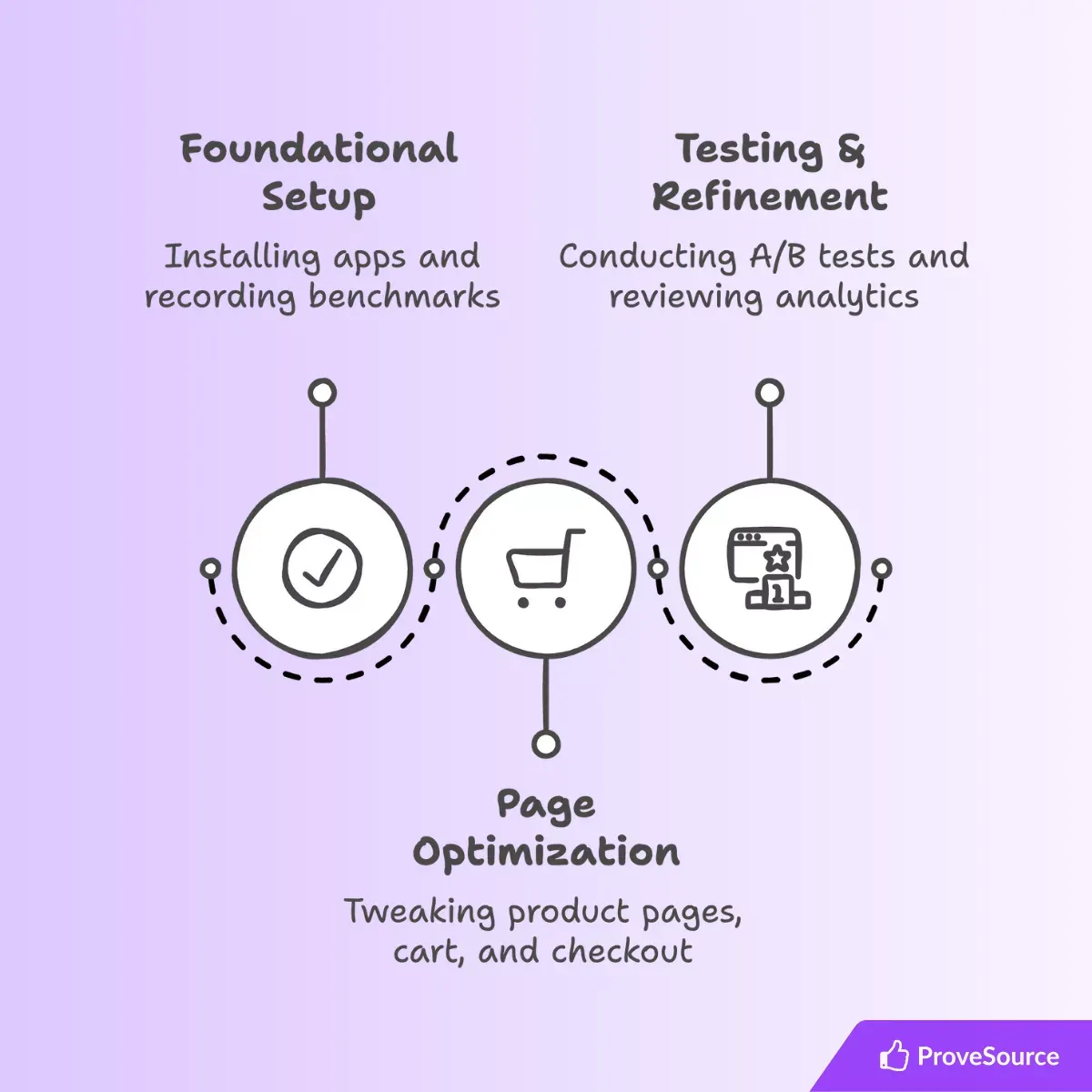
Ready to boost your conversions? Here’s a suggested phased approach:
Need a detailed week-by-week playbook? Grab our step-by-step E-commerce Conversion Rate Optimization Tips to follow alongside this timeline.
foundational setup (week 1-2)
- Benchmark: Record your current conversion rate (overall, and key pages if possible).
- Install Core Apps:Set up ProveSource (start with the free plan!). Configure basic sales/visitor notifications.Install Judge.me or Loox. Set up automated review request emails. Import existing reviews if any.Install Klaviyo. Set up a basic welcome popup with an incentive. Activate the abandoned cart flow.
- Enable Accelerated Checkouts: Ensure Shop Pay, PayPal, Google/Apple Pay are active in your Shopify payment settings.
page optimization (week 3-4)
- Product Pages: Enhance descriptions, ensure visuals are top-notch, make reviews prominent, check CTA clarity. Ensure ProveSource notifications are showing appropriately.
- Cart Page: Add trust seals, ensure shipping estimates are clear, check mobile usability.
- Checkout: Review Shopify’s checkout settings for any possible friction points (e.g., mandatory phone number if not needed).
testing & refinement (month 2 onwards)
- Run Your First A/B Test: Choose one of the “Quick Tests” mentioned above. Run it for 1-2 weeks or until statistically significant.
- Analyze App Performance: Check dashboards for ProveSource, Judge.me/Loox, Klaviyo. Are notifications firing? Are reviews coming in? Are emails being opened/clicked?
- Review Analytics: Monitor your conversion rate, bounce rate, time on site, and cart abandonment rate. Identify drop-off points.
- Iterate: Based on test results and analytics, plan your next optimization or A/B test. CRO is continuous!
🛠 Choosing Your Growth Tech Stack? Compare what’s in your toolkit to our 6 Technologies to Increase Sales & CVR and see which apps you might add next.
Helpful Resources:
- Shopify Help Center: https://help.shopify.com/
- Shopify Blog: https://www.shopify.com/blog
- ProveSource Blog: https://provesrc.com/blog/
- Klaviyo Blog: https://www.klaviyo.com/blog
- OptinMonster Blog: https://optinmonster.com/blog/
- A/B Testing Tools: Google Analytics, Hotjar (for heatmaps/recordings), VWO, Optimizely.
Frequently asked questions
What is a good conversion rate for a Shopify store?
Most stores convert about 1.5–2.5 % of visitors, while strong, well-optimized stores often push past 3%—and can go higher in certain niches or during peak seasons.
How do you calculate Shopify conversion rate?
Use this formula: Conversion rate = (Orders ÷ Sessions) × 100. Example: If you had 400 orders from 20,000 sessions, your conversion rate is (400 ÷ 20,000) × 100 = 2%.
Why does a 1% conversion-rate lift matter so much?
Because it compounds on your existing traffic. For example, at 20,000 monthly visitors and a $75 AOV, moving from 1.8% to 2.8% increases revenue from about $27,000 to $42,000 per month—an extra $15,000 without buying more traffic.
What are the fastest ways to improve Shopify conversions?
– Add trust fast: Display clear shipping/returns info and visible reviews near your CTA. – Reduce checkout friction: Enable accelerated payment buttons like Shop Pay and Apple Pay. – Use real-time social proof: Show recent purchases or live visitor activity with ProveSource.
Are Shopify conversion rates different on mobile vs. desktop?
Yes—mobile conversion rates are often lower than desktop because screens are smaller and friction is higher. That’s why mobile UX matters: keep CTAs prominent, minimize form fields, and double-check that popups, carts, and checkout customizations don’t break the mobile flow.
Install ProveSource on Shopify in 2 clicks

Ready to start building trust and leveraging social proof like TimberIN? You can add ProveSource to your Shopify store in just a couple of clicks and start seeing notifications within minutes. The free plan makes it a no-risk way to begin boosting your conversions today.
Don’t let potential customers slip away due to doubt or hesitation. Show them they’re in good company.